12. Chapter Temperature Sensor
Earlier, we have used control board and photoresistor to detect the intensity of light. Now, we will learn to use the temperature sensor.
12.1. Project 12.1 Detect the Temperature
We will use a thermistor to detect the ambient temperature.
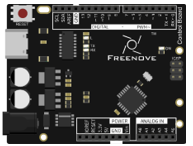
Control board x1
|
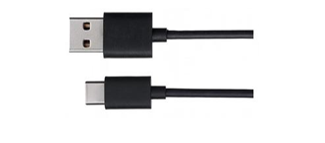
USB cable x1
|
Freenove Projects Board
|
|

12.1.1. Component Knowledge
12.1.1.1. Thermistor
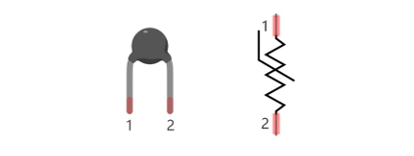
Thermistor is a temperature sensitive resistor. When it senses a change in temperature, the resistance of the Thermistor will change. We can take advantage of this characteristic by using a Thermistor to detect temperature intensity. A Thermistor and its electronic symbol are shown below.
The relationship between resistance value and temperature of thermistor is:
Where:
Rt is the thermistor resistance under T2 temperature;
R is in the nominal resistance of thermistor under T1 temperature;
EXP[n] is nth power of e;
B is for thermal index;
T1, T2 is Kelvin temperature (absolute temperature). Kelvin temperature=273.15+celsius temperature.
Parameters of the thermistor we use is: B=3950, R=10k, T1=25.
The circuit connection method of the thermistor is similar to photoresistor, as the following:
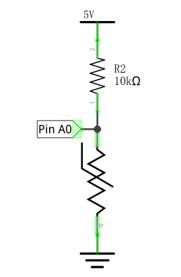
We can use the value measured by the analog pin of control board to obtain resistance value of the thermistor, and then we can use the formula to obtain the temperature value.
12.1.2. Circuit
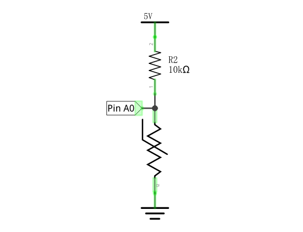
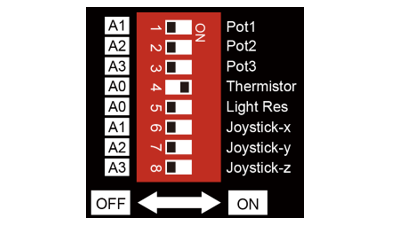
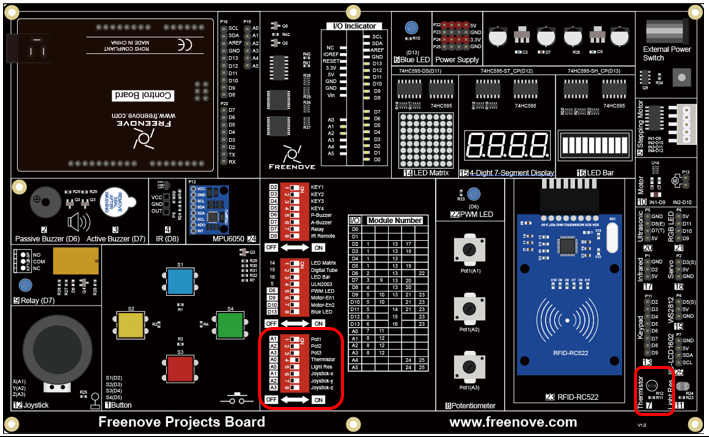
Use pin A0 on the control board to detect the voltage of thermistor.
Schematic diagram
|
Hardware connection
|
Hardware connection
|
|
12.1.3. Sketch
12.1.3.1. Detect_the_temperature
Now, write the code to detect the voltage value of thermistor, calculate the temperature value, and send it to Serial Monitor.
 1/*
 2  Detect_the_temperature
 3
 4  modified 2021/7/1
 5  by http://www.freenove.com
 6*/
 7
 8void setup() {
 9  Serial.begin(9600);// Initialize the serial port, set the baud rate into 9600
10}
11
12void loop() {
13  // Convert analog value of A0 port into digital value
14  int adcVal = analogRead(A0);
15  // Calculate voltage
16  float v = adcVal * 5.0 / 1024;
17  // Calculate resistance value of thermistor
18  float Rt = 10 * v / (5 - v);
19  // Calculate temperature (Kelvin)
20  float tempK = 1 / (log(Rt / 10) / 3950 + 1 / (273.15 + 25));
21  // Calculate temperature (Celsius)
22  float tempC = tempK - 273.15;
23
24  // Send the result to computer through serial port
25  Serial.print(adcVal);
26  Serial.print("\tCurrent temperature is: ");
27  Serial.print(tempK);
28  Serial.print(" K, ");
29  Serial.print(tempC);
30  Serial.println(" C");
31  delay(500);
32}
In the code, we obtain the ADC value of pin A0, and convert it into temperature value, and then send it to the serial port.
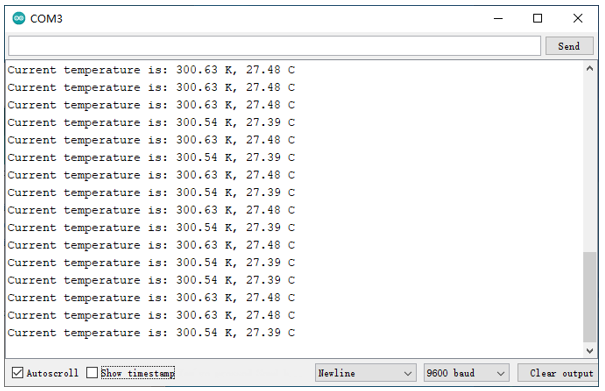
Verify and upload the code, open the Serial Monitor, and then you will see the temperature value sent from control board.