28. Chapter Ultrasonic Ranging
In this chapter, we learn a module that use ultrasonic to measure distance, HC-SR04 ultrasonic ranging module.
28.1. Project Ultrasonic Ranging
In this project, we use ultrasonic ranging module to measure distance, and print out the data in the serial port.
28.1.1. Component List
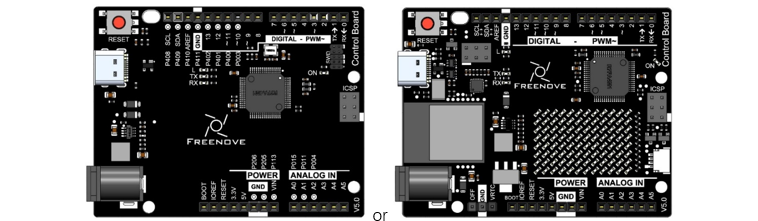
Control board x1
|
||
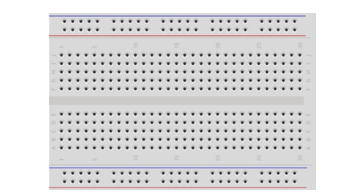
Breadboard x1
|
GPIO Extension Board x1
|
|
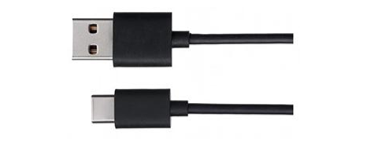
USB cable x1
|
Jumper M/M x8
|
|
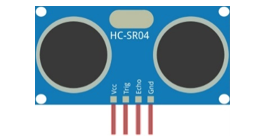
Ultrasonic ranging module x1
|
||


28.1.2. Component Knowledge
28.1.2.1. Ultrasonic ranging module
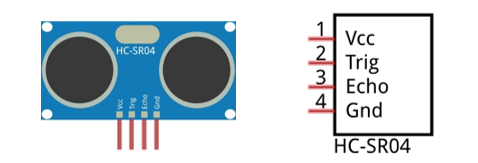
The HC-SR04 Ultrasonic Ranging Module integrates a both an ultrasonic transmitter and a receiver. The transmitter is used to convert electrical signals (electrical energy) into high frequency (beyond human hearing) sound waves (mechanical energy) and the function of the receiver is opposite of this. The picture and the diagram of the HC SR04 Ultrasonic Ranging Module are shown below:
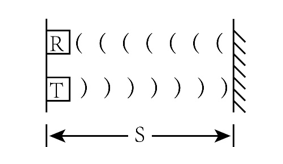
The Ultrasonic Ranging Module uses the principle that ultrasonic waves will reflect when they encounter any obstacles. This is possible by counting the time interval between when the ultrasonic wave is transmitted to when the ultrasonic wave reflects back after encountering an obstacle. Time interval counting will end after an ultrasonic wave is received, and the time difference (delta) is the total time of the ultrasonic wave’s journey from being transmitted to being received. Because the speed of sound in air is a constant, and is about v=340m/s, we can calculate the distance between the Ultrasonic Ranging Module and the obstacle: s=vt/2.
Pin description:
Pin name |
Pin number |
Description |
|---|---|---|
Vcc |
1 |
Positive electrode of power supply, the voltage is 5V |
Trig |
2 |
Triger pin |
Echo |
3 |
Echo pin |
Gnd |
4 |
Negative electrode of power supply |
Instructions for use: output a high-level pulse in Trig pin lasting for least 10uS, the module begins to transmit ultrasonic waves. At the same time, the Echo pin is pulled up. When the module receives the returned ultrasonic waves from encountering an obstacle, the Echo pin will be pulled down. The duration of high level in the Echo pin is the total time of the ultrasonic wave from transmitting to receiving, s=vt/2. This is done constantly.
28.1.3. Circuit
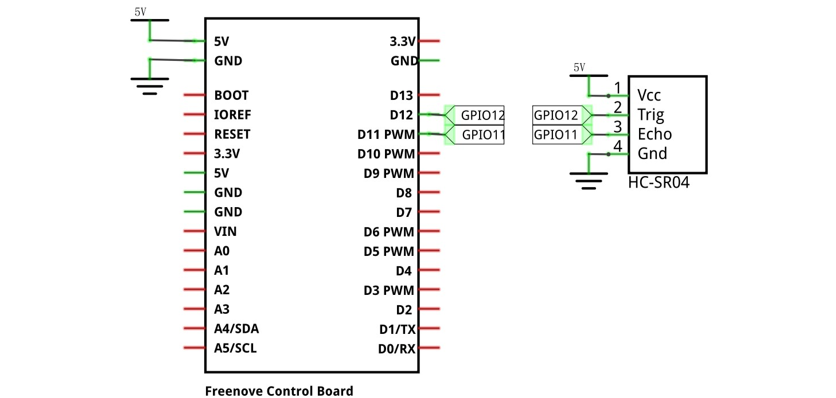
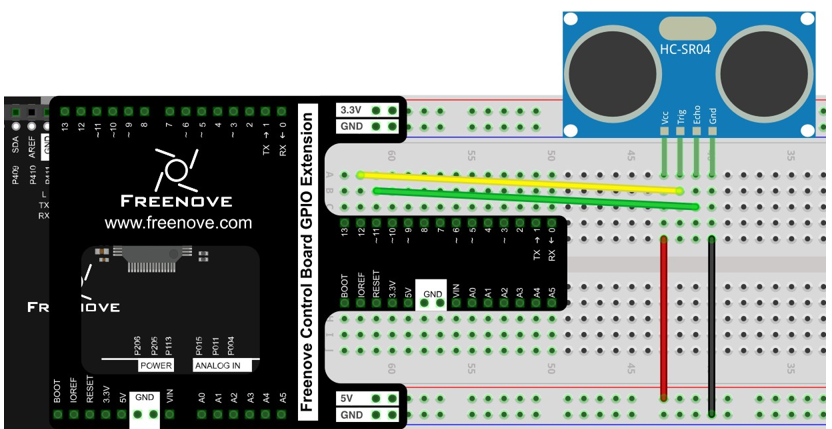
The connection of the control board and HC-SR04 is shown below.
Schematic diagram |
|
Hardware connection If you need any support, please feel free to contact us via: support@freenove.com |
|
28.1.4. Sketch
28.1.4.1. Sketch Ultrasonic_Ranging
First, we use the HC-SR04 communication protocol to operate the module, get the range of time, and calculate the distance.
 1/**********************************************************************
 2  Filename    : Sketch_28.1.1_Ultrasonic_Ranging
 3  Description : Ultrasonic Ranging
 4  Auther      : www.freenove.com
 5  Modification: 2024/08/05
 6**********************************************************************/
 7
 8#define trigPin 12 // define TrigPin
 9#define echoPin 11 // define EchoPin.
10#define MAX_DISTANCE 200 // Maximum sensor distance is rated at 400-500cm.
11// define the timeOut according to the maximum range. timeOut= 2*MAX_DISTANCE /100 /340 *1000000 = MAX_DISTANCE*58.8
12float timeOut = MAX_DISTANCE * 60;
13int soundVelocity = 340; // define sound speed=340m/s
14
15void setup() {
16  pinMode(trigPin,OUTPUT);// set trigPin to output mode
17  pinMode(echoPin,INPUT); // set echoPin to input mode
18  Serial.begin(9600);    // Open serial monitor at 9600 baud to see ping results.
19}
20
21void loop() {
22  delay(100); // Wait 100ms between pings (about 20 pings/sec). 29ms should be the shortest delay between pings.
23  Serial.print("Ping: ");
24  Serial.print(getSonar()); // Send ping, get distance in cm and print result (0 = outside set distance range)
25  Serial.println("cm");
26}
27
28float getSonar() {
29  unsigned long pingTime;
30  float distance;
31  digitalWrite(trigPin, HIGH); // make trigPin output high level lasting for 10μs to triger HC_SR04,
32  delayMicroseconds(10);
33  digitalWrite(trigPin, LOW);
34  pingTime = pulseIn(echoPin, HIGH, timeOut); // Wait HC-SR04 returning to the high level and measure out this waitting time
35  distance = (float)pingTime * soundVelocity / 2 / 10000; // calculate the distance according to the time
36  return distance; // return the distance value
37}
First, define the pins and the maximum measurement distance.
1#define trigPin 12 // define TrigPin
2#define echoPin 11 // define EchoPin.
3#define MAX_DISTANCE 200 // Maximum sensor distance is rated at 400-500cm.
If the module does not return high level, we cannot wait for this forever. So we need to calculate the the time period for the maximum distance, that is, time Out. timOut= 2*MAX_DISTANCE/100/340*1000000. The result of the constant part in this formula is approximately equal to 58.8.
1float timeOut = MAX_DISTANCE * 60;
Then, in the setup (), set the pin to input or output, and set the serial port. In the loop(), we continue to use serial to print the value of subfunction getSonar (), which is used to return the measured distance of the HC_SR04. Make trigPin output a high level lasting for at least 10μs, according to the communication protocol.
1digitalWrite(trigPin, HIGH); // make trigPin output high level lasting for 10μs to triger HC_SR04,
2delayMicroseconds(10);
3digitalWrite(trigPin, LOW);
And then the echoPin of HC_SR04 will output a pulse. Time of the pulse is the total time of ultrasonic from transmitting to receiving. We use the pulseIn () function to return the time, and set the timeout.
1pingTime = pulseIn(echoPin, HIGH, timeOut); // Wait HC-SR04 returning to the high level and measure out this waitting time
Calculate the distance according to the time and return the value.
1distance = (float)pingTime * soundVelocity / 2 / 10000; // calculate the distance according to the time
2return distance; // return the distance value
Finally, the code above will be called in the loop ().
- pulseIn(pin, value) / pulseIn(pin, value, timeout)
Return the length of the pulse (in microseconds) or 0 if no pulse is completed before the timeout (unsigned long).
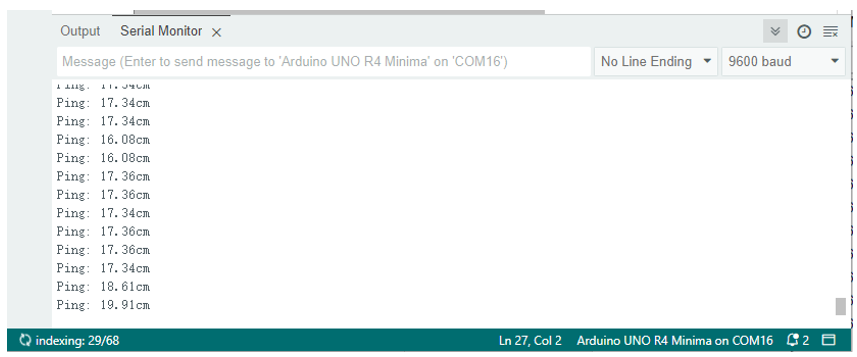
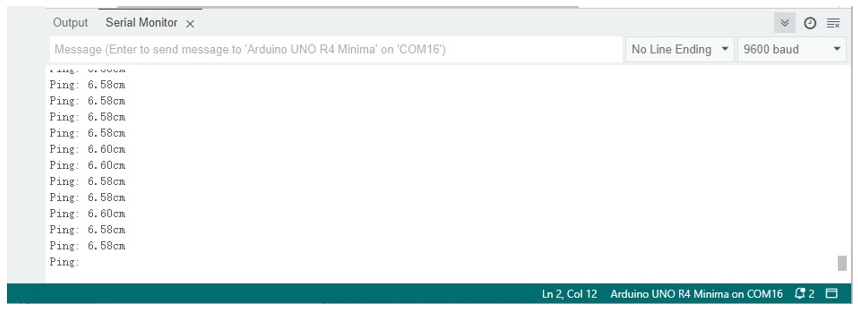
Verify and upload the code to the control board, open the serial port monitoring window, turn the HC-SR04 probe towards the object plane, and observe the data in the serial port monitoring window.
28.1.4.2. Sketch Ultrasonic_Ranging
Before writing code, we need to import the library needed.
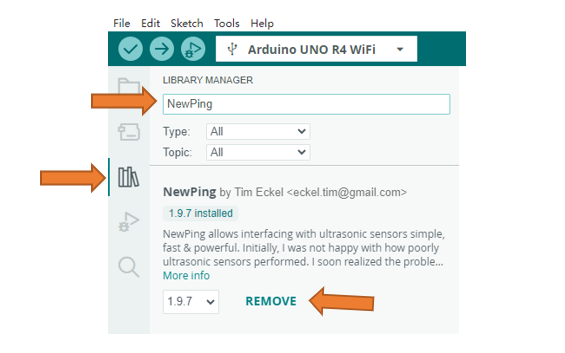
Click “Add .ZIP Library…” and then find NewPing.zip in libraries folder (this folder is in the folder unzipped form the ZIP file we provided). This library makes it easy to obtain the measuring distance.
You can also type “NewPing” into the library search bar to install the library.
 1/**********************************************************************
 2  Filename    : Sketch_28.1.2_Ultrasonic_Ranging
 3  Description : Ultrasonic Ranging
 4  Auther      : www.freenove.com
 5  Modification: 2024/08/05
 6**********************************************************************/
 7
 8#include <NewPing.h>
 9#define trigPin 12 // define TrigPin
10#define echoPin 11 // define EchoPin.
11#define MAX_DISTANCE 200 // Maximum sensor distance is rated at 400-500cm.
12
13NewPing sonar(trigPin, echoPin, MAX_DISTANCE); // NewPing setup of pins and maximum distance.
14
15void setup() {
16  Serial.begin(9600); // Open serial monitor at 9600 baud to see ping results.
17}
18
19void loop() {
20  delay(50); // Wait 50ms between pings (about 20 pings/sec). 29ms should be the shortest delay between pings.
21  Serial.print("Ping: ");
22  Serial.print(sonar.ping_cm()); // Send ping, get distance in cm and print result (0 = outside set distance range)
23  Serial.println("cm");
24}
First, include the header file of library, and then define the HC SR04 pin and the maximum measurement distance. And then write these parameters when we define the NewPing class objects.
1#include <NewPing.h>
2#define trigPin 12 // define TrigPin
3#define echoPin 11 // define EchoPin.
4#define MAX_DISTANCE 200 // Maximum sensor distance is rated at 400-500cm.
And then, in the loop (), use sonar.ping_cm () to obtain the ultrasonic module detection distance with unit of centimeter. And print the distance out. When the distance exceeds range of 2cm~200cm, the printed data is zero.
- NewPing Class
NewPing class can be used for SR04, SRF05, SRF06 and other sensors. An object that needs to be instantiated when the class is used. The three parameters of the constructor function are: trigger pin, echo pin and maximum measurement distance.
NewPing sonar(trigger_pin, echo_pin [, max_cm_distance])
Some member function:
sonar.ping() - Send a ping and get the echo time (in microseconds) as a result.
sonar.ping_in() - Send a ping and get the distance in whole inches.
sonar.ping_cm() - Send a ping and get the distance in whole centimeters.
For more details, please refer to the NewPing.h in the NewPing library.
Verify and upload the code to control board and open the Serial Monitor. When you make ultrasonic probe toward a plane of an object, you can observe the distance between them.