31. Chapter Play SD card music
In the previous study, we have learned how to use the SD card, and then we will learn to play the music in the SD card.
31.1. Project SDMMC Music
In this project, we will read an mp3 file from an SD card, decode it through ESP32-S3, and use a speaker to play it.
31.1.1. Component List
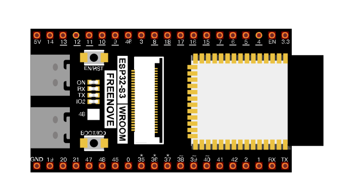
ESP32-S3 WROOM x1
|
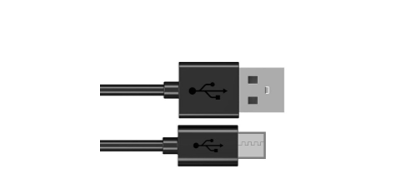
USB cable x1
|
SDcard x1
|
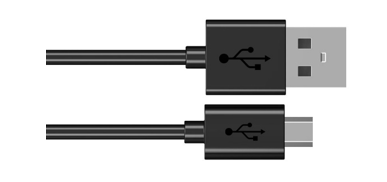
Micro USB Wire x1
|
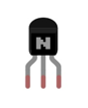
NPN transistorx1 (S8050)
|
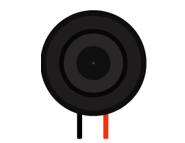
Speaker
|
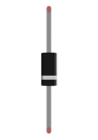
Diode x1
|
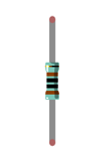
Resistor 1kΩ x1
|
Capacitor 10uF x1
|
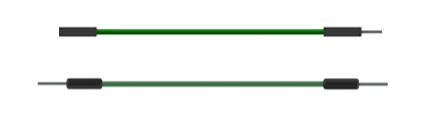
Jumper F/M x4 Jumper F/F x2
|
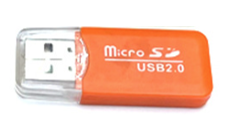
SDcard reader x1 (random color)
(Not a USB flash drive.) |
|

31.1.2. Circuit
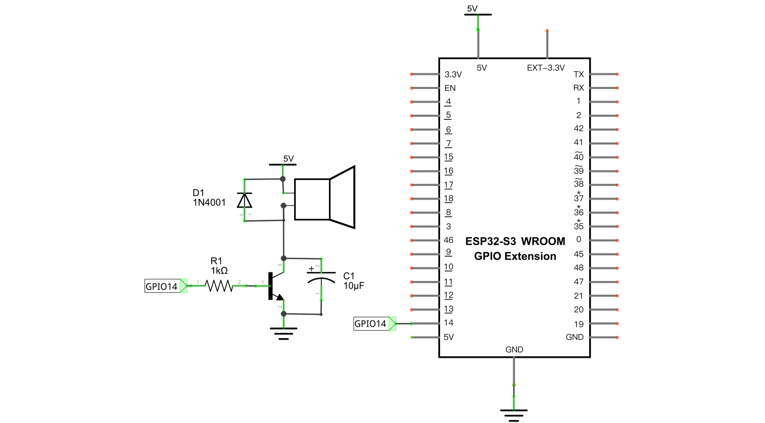
Schematic diagram |
|
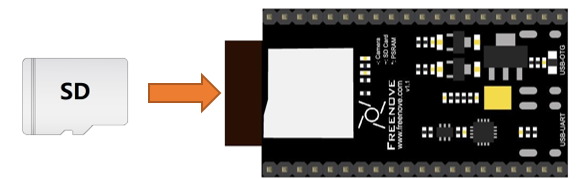
Please note that before connecting the USB cable, please put the music into the SD card and insert the SD card into the card slot on the back of the ESP32-S3.
|
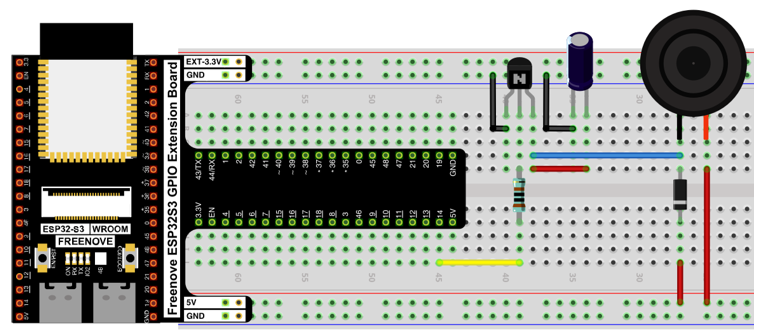
Hardware connection. If you need any support, please contact us via: support@freenove.com |
|
31.1.3. Sketch
31.1.3.1. How to install the library
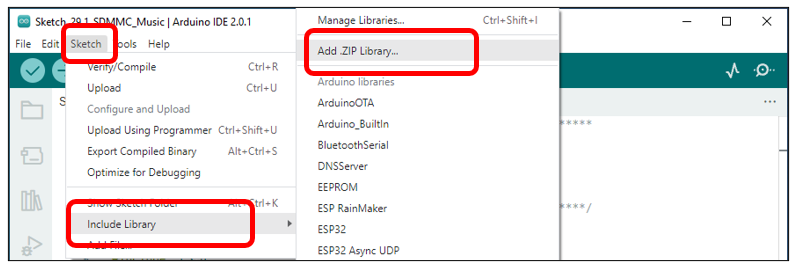
In this project, we will use the ESP8266Audio.zip library to decode the audio files in the SD card, and then output the audio signal through GPIO. If you have not installed this library, please follow the steps below to install it.
Open arduino -> Sketch -> Include library -> Add .ZIP Library.
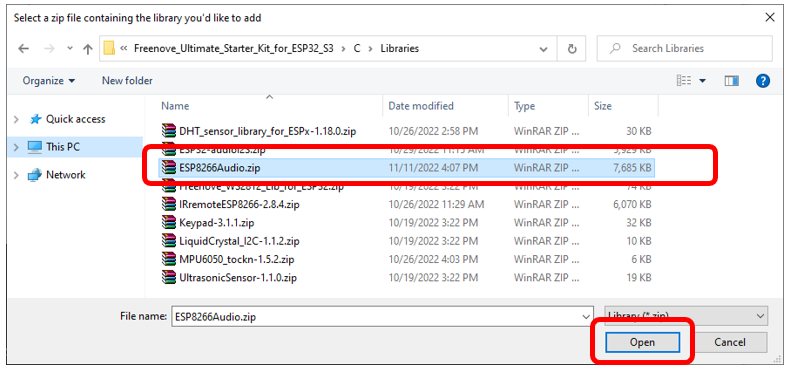
In the new pop-up window, select “ Freenove_Ultimate_Starter_Kit_for_ESP32_S3\C\Libraries\ESP8266Audio.zip “. Then click “Open”.
31.1.3.2. Sketch_PlayMP3FromSD
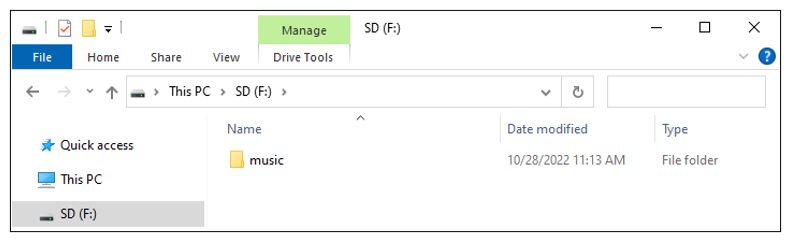
We placed a folder called “music” in:
Freenove_Ultimate_Starter_Kit_for_ESP32_S3\Sketches\Sketch_29.1_PlayMP3FromSD
User needs to copy this folder to SD card.
Click upload.
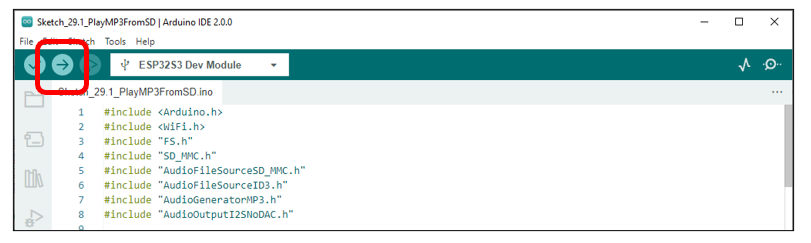
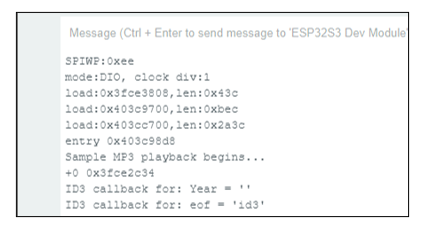
Compile and upload the code to the ESP32-S3 WROOM and open the serial monitor. ESP32-S3 takes a few seconds to initialize the program. When you see the message below, it means that ESP32-S3 has started parsing the mp3 in sd and started playing music through Pin.
The following is the program code:
 1#include <Arduino.h>
 2#include <WiFi.h>
 3#include "FS.h"
 4#include "SD_MMC.h"
 5#include "AudioFileSourceSD_MMC.h"
 6#include "AudioFileSourceID3.h"
 7#include "AudioGeneratorMP3.h"
 8#include "AudioOutputI2SNoDAC.h"
 9
10#define SD_MMC_CMD 38 //Please do not modify it.
11#define SD_MMC_CLK 39 //Please do not modify it.
12#define SD_MMC_D0  40 //Please do not modify it.
13
14AudioGeneratorMP3 *mp3;
15AudioFileSourceID3 *id3;
16AudioOutputI2SNoDAC *out;
17
18AudioFileSourceSD_MMC *file = NULL;
19
20// Called when a metadata event occurs (i.e. an ID3 tag, an ICY block, etc.
21void MDCallback(void *cbData, const char *type, bool isUnicode, const char *string)
22{
23  (void)cbData;
24  Serial.printf("ID3 callback for: %s = '", type);
25
26  if (isUnicode) {
27    string += 2;
28  }
29
30  while (*string) {
31    char a = *(string++);
32    if (isUnicode) {
33      string++;
34    }
35    Serial.printf("%c", a);
36  }
37  Serial.printf("'\n");
38  Serial.flush();
39}
40
41void setup()
42{
43  WiFi.mode(WIFI_OFF);
44  Serial.begin(115200);
45  delay(1000);
46  SD_MMC.setPins(SD_MMC_CLK, SD_MMC_CMD, SD_MMC_D0);
47  if (!SD_MMC.begin("/sdcard", true, true, SDMMC_FREQ_DEFAULT, 5)) {
48      Serial.println("Card Mount Failed");
49      return;
50  }
51  Serial.printf("Sample MP3 playback begins...\n");
52
53  audioLogger = &Serial;
54  file = new AudioFileSourceSD_MMC("/music/01.mp3");
55  id3 = new AudioFileSourceID3(file);
56  id3->RegisterMetadataCB(MDCallback, (void*)"ID3TAG");
57  //out = new AudioOutputI2S();
58  out = new AudioOutputI2SNoDAC();
59  out->SetPinout(12,13,14);//Set the audio output pin, Only 14 were used
60  out->SetGain(3.5);//Setting the Volume
61  mp3 = new AudioGeneratorMP3();
62  mp3->begin(id3, out);
63}
64
65void loop()
66{
67  if (mp3->isRunning()) {
68    if (!mp3->loop()) mp3->stop();
69  } else {
70    Serial.printf("MP3 done\n");
71    delay(1000);
72  }
73}
Add music decoding header files and SD card drive files.
1#include <Arduino.h>
2#include <WiFi.h>
3#include "FS.h"
4#include "SD_MMC.h"
5#include "AudioFileSourceSD_MMC.h"
6#include "AudioFileSourceID3.h"
7#include "AudioGeneratorMP3.h"
8#include "AudioOutputI2SNoDAC.h"
Define the drive pins for SD card. Note that the SD card driver pins cannot be modified.
1#define SD_MMC_CMD 38 //Please do not modify it.
2#define SD_MMC_CLK 39 //Please do not modify it.
3#define SD_MMC_D0  40 //Please do not modify it.
Apply for audio decoding class object.
1AudioGeneratorMP3 *mp3;
2AudioFileSourceID3 *id3;
3AudioOutputI2SNoDAC *out;
4
5AudioFileSourceSD_MMC *file = NULL;
Set the audio file source and associate it with the decoder. Initialize the audio output pin and set the volume to 2.
 1audioLogger = &Serial;
 2file = new AudioFileSourceSD_MMC("/music/01.mp3");
 3id3 = new AudioFileSourceID3(file);
 4id3->RegisterMetadataCB(MDCallback, (void*)"ID3TAG");
 5//out = new AudioOutputI2S();
 6out = new AudioOutputI2SNoDAC();
 7out->SetPinout(12,13,14);//Set the audio output pin, Only 14 were used
 8out->SetGain(3.5);//Setting the Volume
 9mp3 = new AudioGeneratorMP3();
10mp3->begin(id3, out);
Determine whether the mp3 player is finished. If it is playing, continue playing. If it is finished, print a message.
1if (mp3->isRunning()) {
2  if (!mp3->loop()) mp3->stop();
3} else {
4  Serial.printf("MP3 done\n");
5  delay(1000);
6}
31.2. Project SDMMC Music
In this project, we will read mp3 files from SD card, decode them through ESP32-S3, and use Audio Converter & Amplifier module to transcode into stereo output.
31.2.1. Component List
ESP32-S3 WROOM x1
|
USB cable x1
|
SDcard x1
|
Micro USB Wire x1
|
Audio Converter & Amplifier
|
Speaker
|
Jumper F/M x4 Jumper F/F x2
|
SDcard reader x1 (random color)
(Not a USB flash drive.) |
|
31.2.2. Component knowledge
The front and reverse view of Audio Converter & Amplifier module.
front view |
reverse view |
schematic diagram |
|---|---|---|
|
|
|
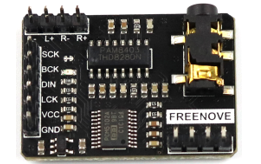
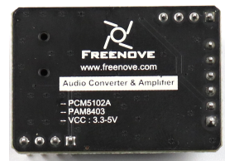
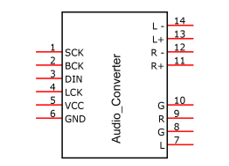
Interface description for Audio Converter & Amplifier module
Pin |
Name |
Introductions |
|---|---|---|
1 |
SCK |
System clock input |
2 |
BCK |
Audio data bit clock input |
3 |
DIN |
Audio data input |
4 |
LCK |
Audio data word clock input |
5 |
VCC |
Power input, 3.3V~5.0V |
6 |
GND |
Power Ground |
7 |
L |
External audio left channel input |
8 |
G |
Power Ground |
9 |
R |
External audio right channel input |
10 |
G |
Power Ground |
11 |
R+ |
Positive pole of right channel horn |
12 |
R- |
Negative pole of right channel horn |
13 |
L+ |
Positive pole of left channel horn |
14 |
L- |
Negative pole of left channel horn |
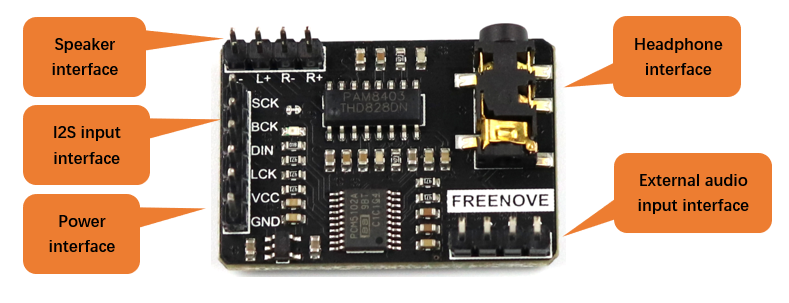
Speaker interface: Connect left channel speaker and right channel speaker. Group L: L+ & L-; Group R: R+& R-. The two interfaces of the speaker can be connected to the interfaces of group L or group R. But when one interface is connected to group L, the other cannot be connected to group R. Doing so may cause the module to malfunction.
Headphone interface: the interface to connect the headphones.
I2S input interface: connect to the device with I2S. Used to transcode audio data into DAC audio signals.
External audio input interface: connect to external audio equipment. Used to amplify externally input audio signals.
Power interface: connect to external power supply. External power supply selection range: 3.3V-5.0V.
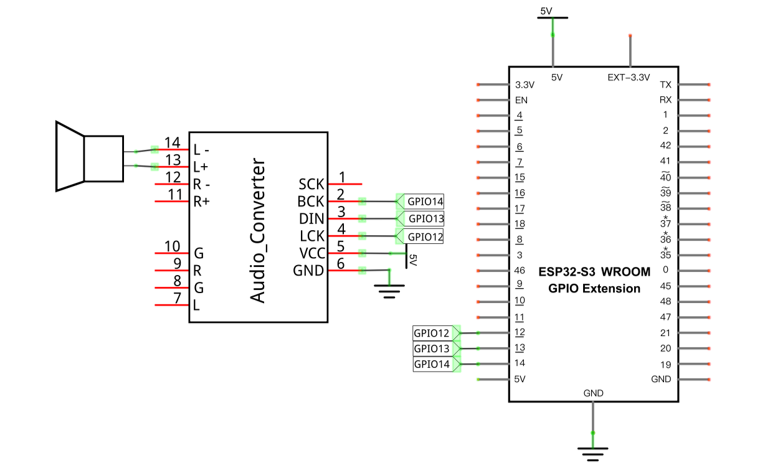
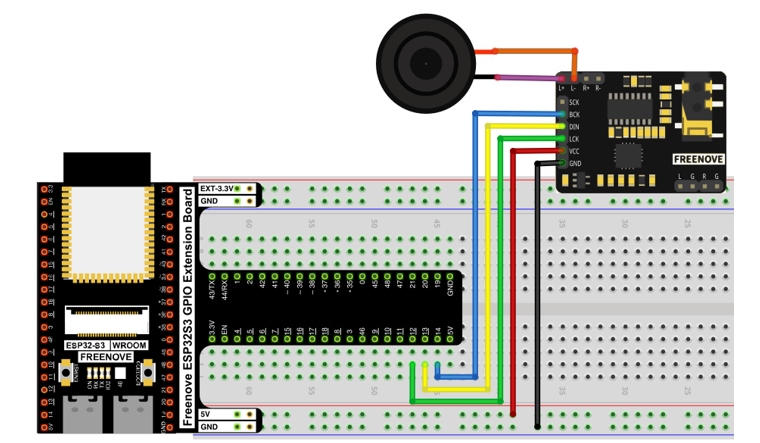
31.2.3. Circuit
Schematic diagram |
|
Please note that before connecting the USB cable, please put the music into the SD card and insert the SD card into the card slot on the back of the ESP32-S3.
|
Hardware connection. If you need any support, please contact us via: support@freenove.com |
|
31.2.4. Sketch
31.2.4.1. How to install the library
In this project, we will use the ESP32-audioI2S.zip library to decode the audio files in the SD card, and then output the audio signal through IIS. If you have not installed this library, please follow the steps below to install it.
Open arduino -> Sketch -> Include library -> Add .ZIP Library.
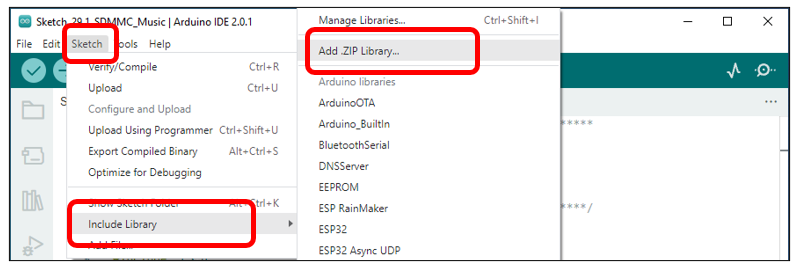
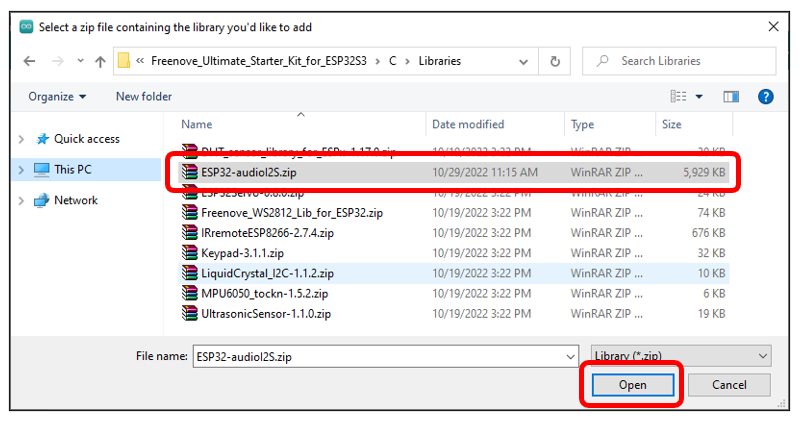
In the new pop-up window, select “Freenove_Ultimate_Starter_Kit_for_ESP32_S3\C\Libraries\ESP32-audioI2S.zip”.
Then click “Open”.
31.2.4.2. Sketch_SDMMC_Music
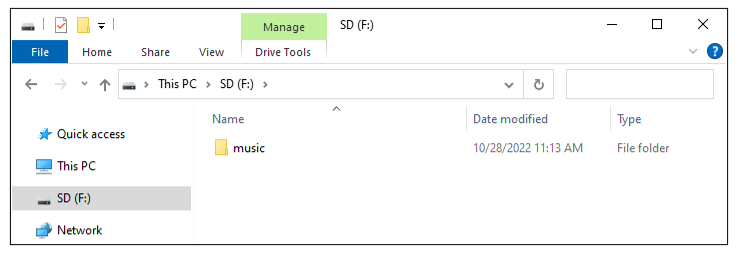
We placed a folder called “music” in:
Freenove_Ultimate_Starter_Kit_for_ESP32_S3\Sketches\Sketch_29.2_SDMMC_Music.
User needs to copy this folder to SD card.
Click upload.
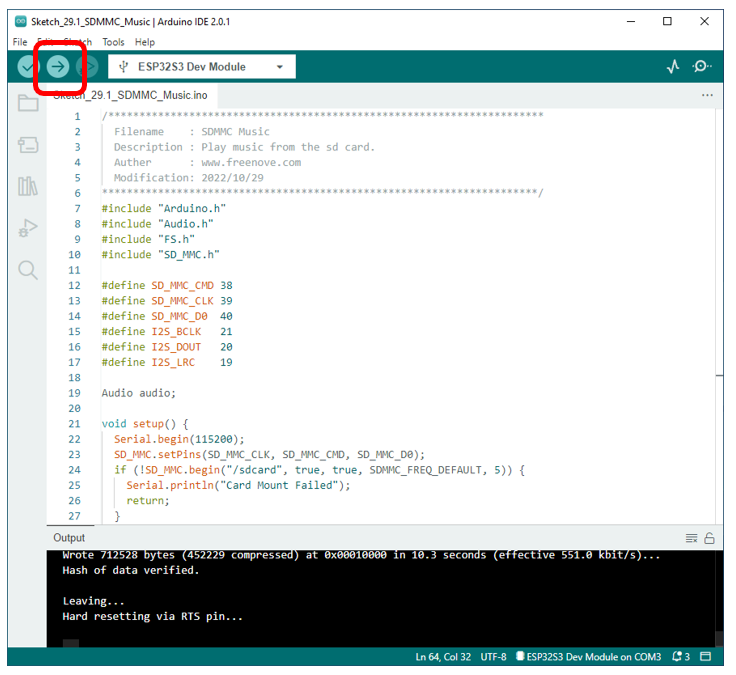
Compile and upload the code to the ESP32-S3 WROOM and open the serial monitor. ESP32-S3 takes a few seconds to initialize the program. When you see the message below, it means that ESP32-S3 has started parsing the mp3 in sd and started playing music through iis.
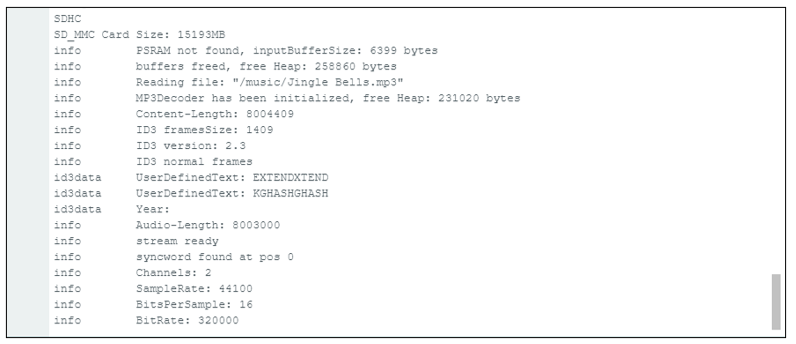
The following is the program code:
 1/**********************************************************************
 2  Filename    : SDMMC Music
 3  Description : Play music from the sd card.
 4  Auther      : www.freenove.com
 5  Modification: 2022/10/29
 6**********************************************************************/
 7#include "Arduino.h"
 8#include "Audio.h"
 9#include "FS.h"
10#include "SD_MMC.h"
11
12#define SD_MMC_CMD 38
13#define SD_MMC_CLK 39
14#define SD_MMC_D0  40
15#define I2S_BCLK   14
16#define I2S_DOUT   13
17#define I2S_LRC    12
18
19Audio audio;
20
21void setup() {
22  Serial.begin(115200);
23
24  SD_MMC.setPins(SD_MMC_CLK, SD_MMC_CMD, SD_MMC_D0);
25  if (!SD_MMC.begin("/sdcard", true, true, SDMMC_FREQ_DEFAULT, 5)) {
26    Serial.println("Card Mount Failed");
27    return;
28  }
29  uint8_t cardType = SD_MMC.cardType();
30  if (cardType == CARD_NONE) {
31    Serial.println("No SD_MMC card attached");
32    return;
33  }
34  if (cardType == CARD_MMC) {
35    Serial.println("MMC");
36  } else if (cardType == CARD_SD) {
37    Serial.println("SDSC");
38  } else if (cardType == CARD_SDHC) {
39    Serial.println("SDHC");
40  } else {
41    Serial.println("UNKNOWN");
42  }
43  uint64_t cardSize = SD_MMC.cardSize() / (1024 * 1024);
44  Serial.printf("SD_MMC Card Size: %lluMB\n", cardSize);
45
46  audio.setPinout(I2S_BCLK, I2S_LRC, I2S_DOUT);
47  audio.setVolume(12);  // 0...21
48
49  audio.connecttoFS(SD_MMC, "/music/Jingle Bells.mp3");
50}
51
52void loop() {
53  audio.loop();
54  if (Serial.available()) {  // put streamURL in serial monitor
55    audio.stopSong();
56    String r = Serial.readString();
57    r.trim();
58    if (r.length() > 5) audio.connecttoFS(SD_MMC, r.c_str());
59    log_i("free heap=%i", ESP.getFreeHeap());
60  }
61}
62
63// optional
64void audio_info(const char *info) {
65  Serial.print("info        ");
66  Serial.println(info);
67}
68void audio_id3data(const char *info) {  //id3 metadata
69  Serial.print("id3data     ");
70  Serial.println(info);
71}
72void audio_eof_mp3(const char *info) {  //end of file
73  Serial.print("eof_mp3     ");
74  Serial.println(info);
75}
76void audio_showstation(const char *info) {
77  Serial.print("station     ");
78  Serial.println(info);
79}
80void audio_showstreamtitle(const char *info) {
81  Serial.print("streamtitle ");
82  Serial.println(info);
83}
84void audio_bitrate(const char *info) {
85  Serial.print("bitrate     ");
86  Serial.println(info);
87}
88void audio_commercial(const char *info) {  //duration in sec
89  Serial.print("commercial  ");
90  Serial.println(info);
91}
92void audio_icyurl(const char *info) {  //homepage
93  Serial.print("icyurl      ");
94  Serial.println(info);
95}
96void audio_lasthost(const char *info) {  //stream URL played
97  Serial.print("lasthost    ");
98  Serial.println(info);
99}
Add music decoding header files and SD card drive files.
1#include "Arduino.h"
2#include "Audio.h"
3#include "FS.h"
4#include "SD_MMC.h"
Define the drive pins for SD card and IIS. Note that the SD card driver pins cannot be modified, but the IIS drive pins can be modified.
1#define SD_MMC_CMD 38
2#define SD_MMC_CLK 39
3#define SD_MMC_D0  40
4#define I2S_BCLK   14
5#define I2S_DOUT   13
6#define I2S_LRC    12
Declare an audio decoding object, associate it with the pin, set the volume, and set the decoding object.
Audio audio;
......
audio.setPinout(I2S_BCLK, I2S_LRC, I2S_DOUT);
audio.setVolume(12);  // 0...21
audio.connecttoFS(SD_MMC, "/music/Jingle Bells.mp3");
Play music until one piece of music finishes playing. If the serial port receives data, it will call the audio object to decode it after removing the spaces at the head and tail of the data.
1audio.loop();
2if (Serial.available()) {  // put streamURL in serial monitor
3  audio.stopSong();
4  String r = Serial.readString();
5  r.trim();
6  if (r.length() > 5) audio.connecttoFS(SD_MMC, r.c_str());
7  log_i("free heap=%i", ESP.getFreeHeap());
8}
In other words, if you want to switch the music in the SD card, you can directly input the song through the serial port.
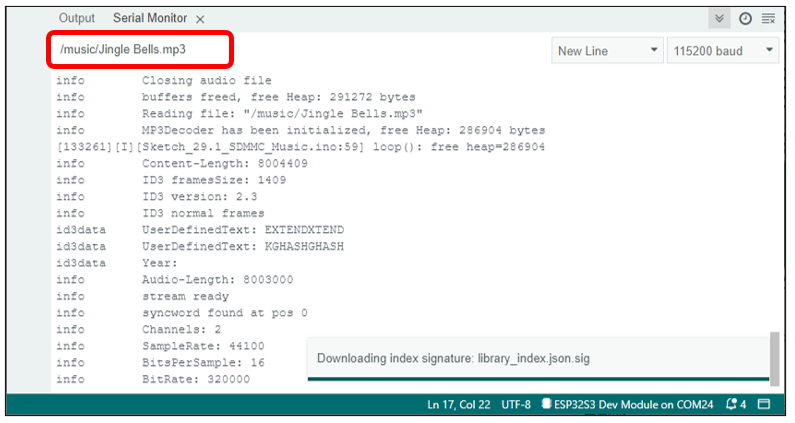
The following functions are used to print the audio decoding information. If you do not want to see the decoding information in the serial port, you can directly comment out these functions.
void audio_info(const char *info);

void audio_id3data(const char *info);

void audio_eof_mp3(const char *info);

void audio_showstation(const char *info);

void audio_showstreamtitle(const char *info);

void audio_bitrate(const char *info);

void audio_commercial(const char *info);

void audio_icyurl(const char *info);

void audio_lasthost(const char *info);