7. Chapter Serial Communication
Serial Communication is a means of communication between different devices/devices. This section describes ESP32-S3’s Serial Communication.
7.1. Project Serial Print
This project uses ESP32-S3’s serial communicator to send data to the computer and print it on the serial monitor.
7.1.1. Component List
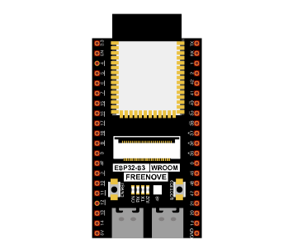
ESP32-S3 WROOM x1
|
GPIO Extension Board x1
|
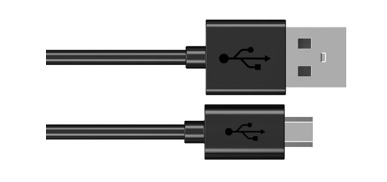
Micro USB Wire x1
|
|

7.1.2. Related knowledge
7.1.2.1. Serial communication
Serial communication generally refers to the Universal Asynchronous Receiver/Transmitter (UART), which is commonly used in electronic circuit communication. It has two communication lines, one is responsible for sending data (TX line) and the other for receiving data (RX line). The serial communication connections of two devices is as follows:
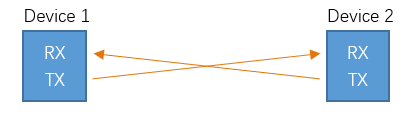
Before serial communication starts, the baud rate of both sides must be the same. Communication between devices can work only if the same baud rate is used. The baud rates commonly used is 9600 and 115200.
7.1.2.2. Serial port on ESP32-S3
Freenove ESP32-S3 has integrated USB to serial transfer, so it could communicate with computer connecting to USB cable.

Arduino Software also uploads code to Freenove ESP32-S3 through the serial connection.
Your computer identifies serial devices connecting to it as COMx. We can use the Serial Monitor window of Arduino Software to communicate with Freenove ESP32-S3, connect Freenove ESP32-S3 to computer through the USB cable, choose the correct device, and then click the Serial Monitor icon to open the Serial Monitor window.

7.1.3. Circuit
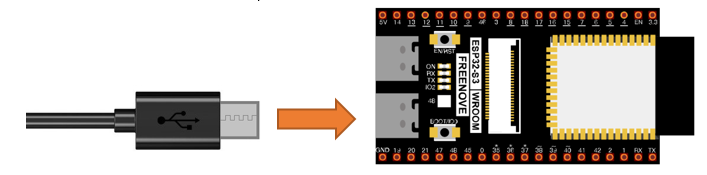
Connect Freenove ESP32-S3 to the computer with USB cable.
7.1.4. Sketch
7.1.4.1. Sketch_SerialPrinter
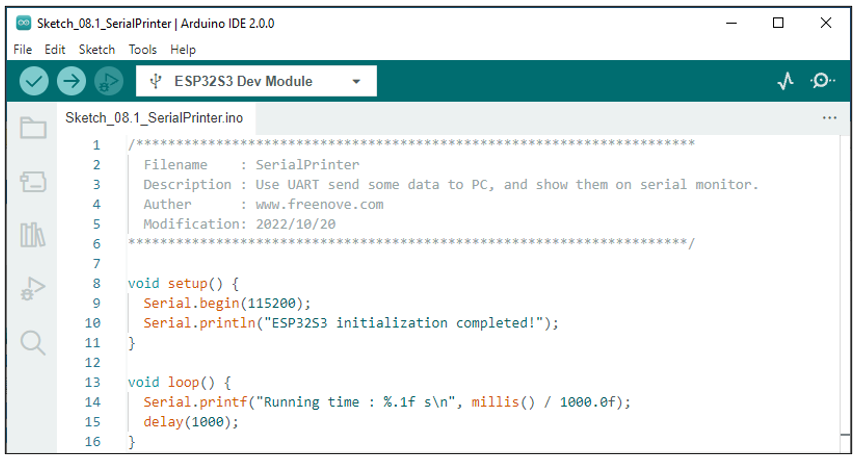
Download the code to ESP32-S3 WROOM, open the serial port monitor, set the baud rate to 115200, and press the reset button. As shown in the following figure:
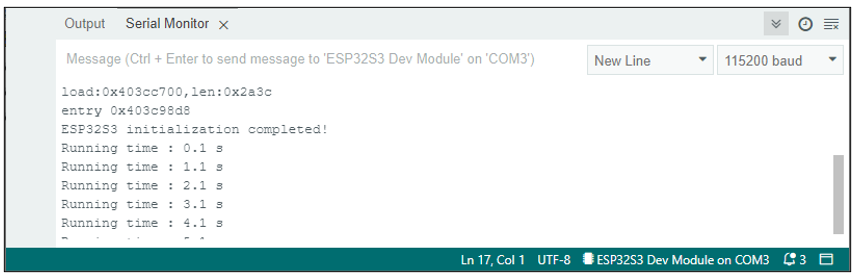
As shown in the image above, “ESP32-S3 initialization completed! “ The previous is the printing message when the system is started. The user program is then printed at a baud rate of 115200.
The following is the program code:
 1/**********************************************************************
 2  Filename    : SerialPrinter
 3  Description : Use UART send some data to PC, and show them on serial monitor.
 4  Auther      : www.freenove.com
 5  Modification: 2022/10/20
 6**********************************************************************/
 7
 8void setup() {
 9  Serial.begin(115200);
10  Serial.println("ESP32S3 initialization completed!");
11}
12
13void loop() {
14  Serial.printf("Running time : %.1f s\r\n", millis() / 1000.0f);
15  delay(1000);
16}
7.1.4.2. Reference
- void begin(unsigned long baud, uint32_t config=SERIAL_8N1, int8_t rxPin=-1, int8_t txPin=-1, bool invert=false, unsigned long timeout_ms = 20000UL);
Initializes the serial port. Parameter baud is baud rate, other parameters generally use the default value.
- size_t println( arg );
Print to the serial port and wrap. The parameter arg can be a number, a character, a string, an array of characters, etc.
- size_t printf(const char * format, ...) __attribute__ ((format (printf, 2, 3)));
Print formatted content to the serial port in the same way as print in standard C.
- unsigned long millis();
Returns the number of milliseconds since the current system was booted.
7.2. Project Serial Read and Write
From last section, we use serial port on Freenove ESP32-S3 to send data to a computer, now we will use that to receive data from computer.
Component and circuit are the same as in the previous project.
7.2.1. Sketch
7.2.1.1. Sketch_SerialRW
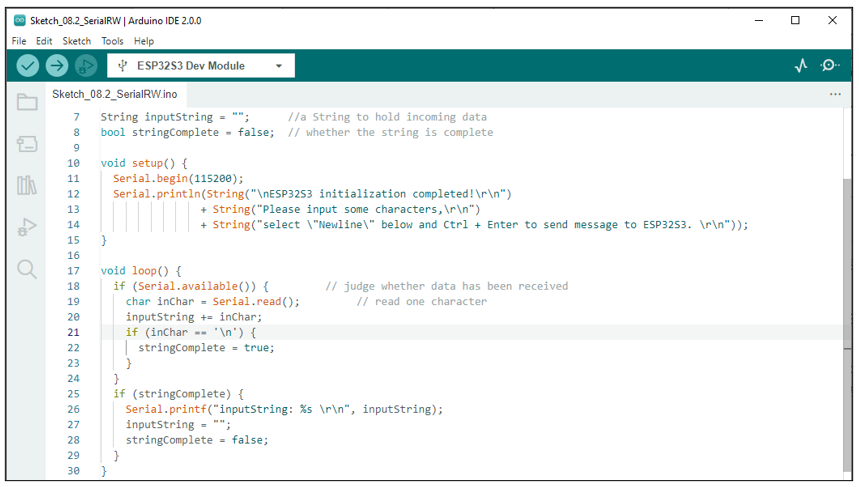
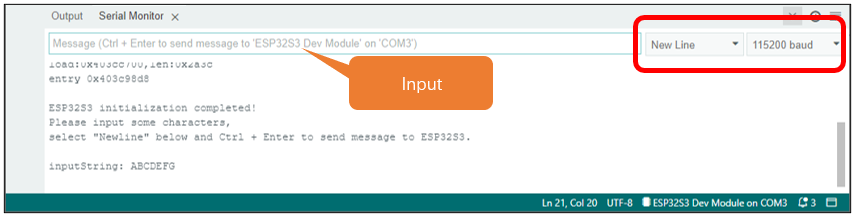
Download the code to ESP32-S3 WROOM, open the serial monitor, and set the top right corner to Newline, 115200. As shown in the following figure:
Then type characters like ‘ABCDEFG’ into the data sent at the top, and press Ctrl+Enter to send the message.
The following is the program code:
 1/**********************************************************************
 2  Filename    : SerialRW
 3  Description : Use UART read and write data between ESP32 and PC.
 4  Auther      : www.freenove.com
 5  Modification: 2026/01/12
 6**********************************************************************/
 7String inputString = "";      // a String to hold incoming data
 8bool stringComplete = false;  // whether the string is complete
 9
10void setup() {
11  Serial.begin(115200);
12  Serial.println("\nESP32S3 initialization completed!");
13  Serial.println("Please input some characters,");
14  Serial.println("select \"Newline\" below and Ctrl + Enter to send message to ESP32S3.");
15  Serial.println("Ready to receive data...\n");
16}
17
18void loop() {
19  if (Serial.available()) {
20    inputString = Serial.readStringUntil('\n');
21
22    // trim() removes leading and trailing whitespace characters, including \r, \n, tabs, etc.
23    inputString.trim();
24
25    if (inputString.length() > 0) {
26      stringComplete = true;
27    }
28  }
29
30  if (stringComplete) {
31    Serial.printf("inputString: %s\r\n", inputString.c_str());
32    inputString = "";
33    stringComplete = false;
34  }
35}
In loop(), determine whether the serial port has data, if so, read and save the data, and if the newline character is read, print out all the data that has been read.
7.2.1.2. Reference
- String();
Constructs an instance of the String class.
For more information, please visit
https://www.arduino.cc/reference/en/language/variables/data-types/stringobject/
- int available(void);
Get the number of bytes (characters) available for reading from the serial port. This is data that’s already arrived and stored in the serial receive buffer.
- Serial.read();
Reads incoming serial data.