8. Chapter Potentiometer & LED
Earlier we learned how to use ADC and PWM. In this chapter, we learn to control the brightness of an LED by using a potentiometer.
8.1. Project Soft Light
In this project, we will make a soft light. We will use an ADC Module to read ADC values of a potentiometer and map it to duty cycle ratio of the PWM used to control the brightness of an LED. Then you can change the brightness of an LED by adjusting the potentiometer.
8.1.1. Component List
|
|
Rotary potentiometer x1
|
|
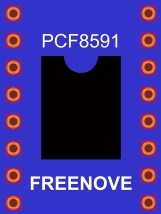
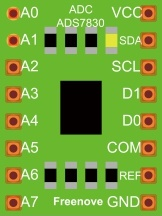
ADC module x1 (Only one)
|
LED x1
|
Jumper Wire M/M x17 |
|




8.1.2. Circuit with ADS7830
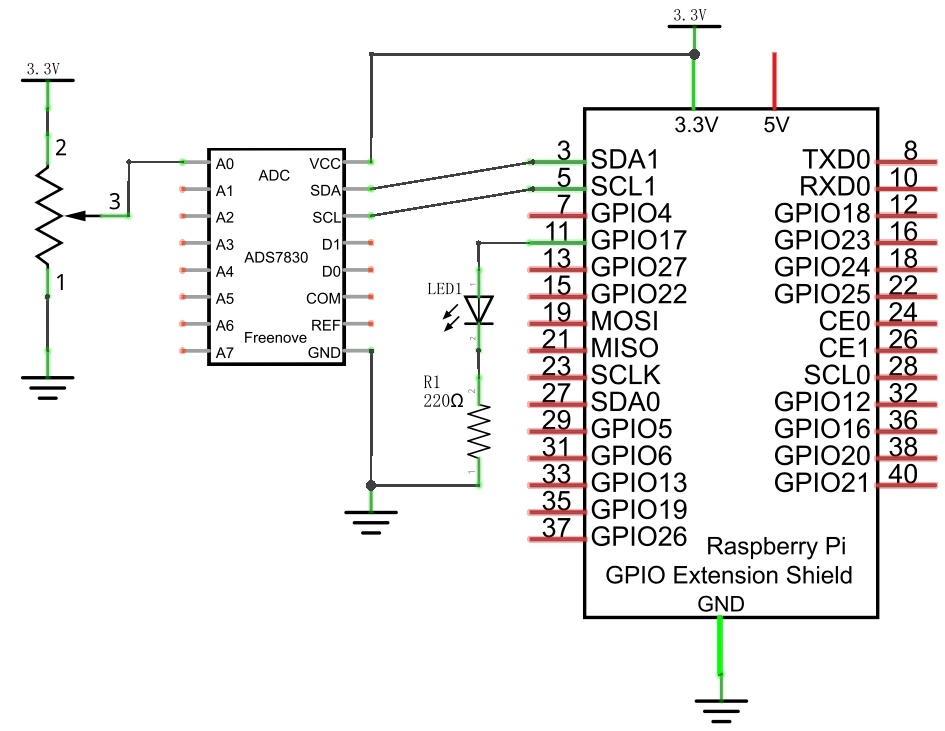
Schematic diagram
|
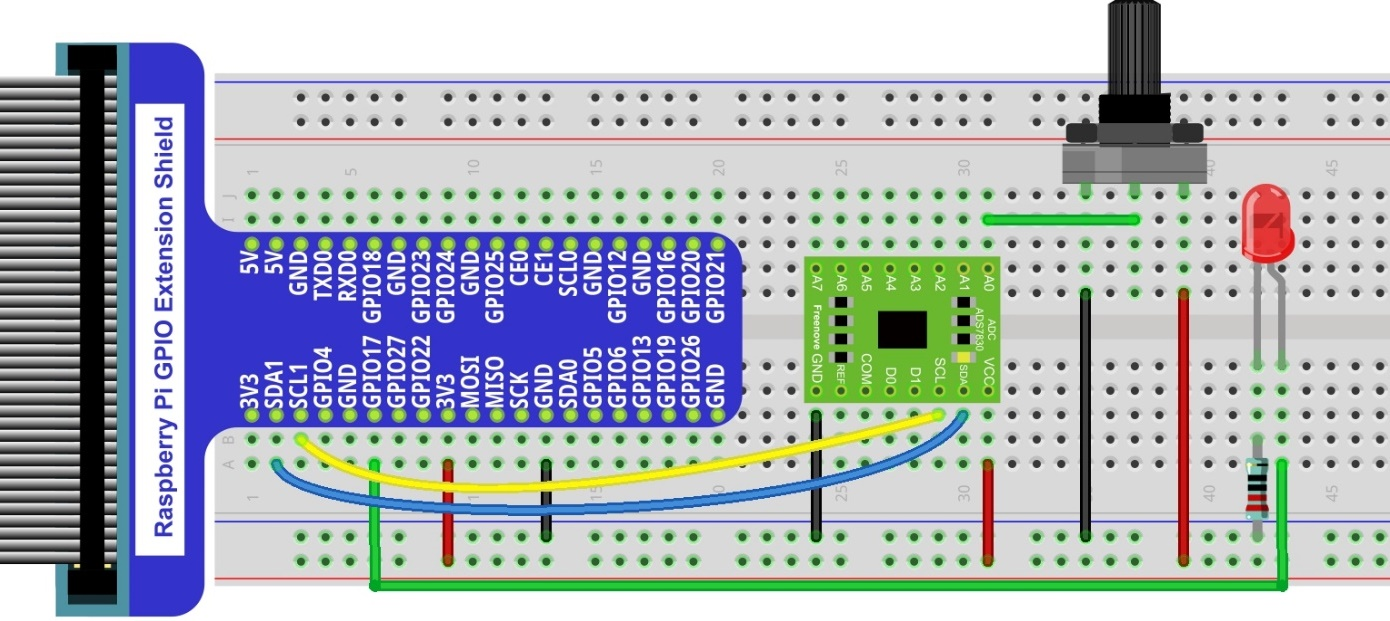
Hardware connection. If you need any support,please feel free to contact us via:
|
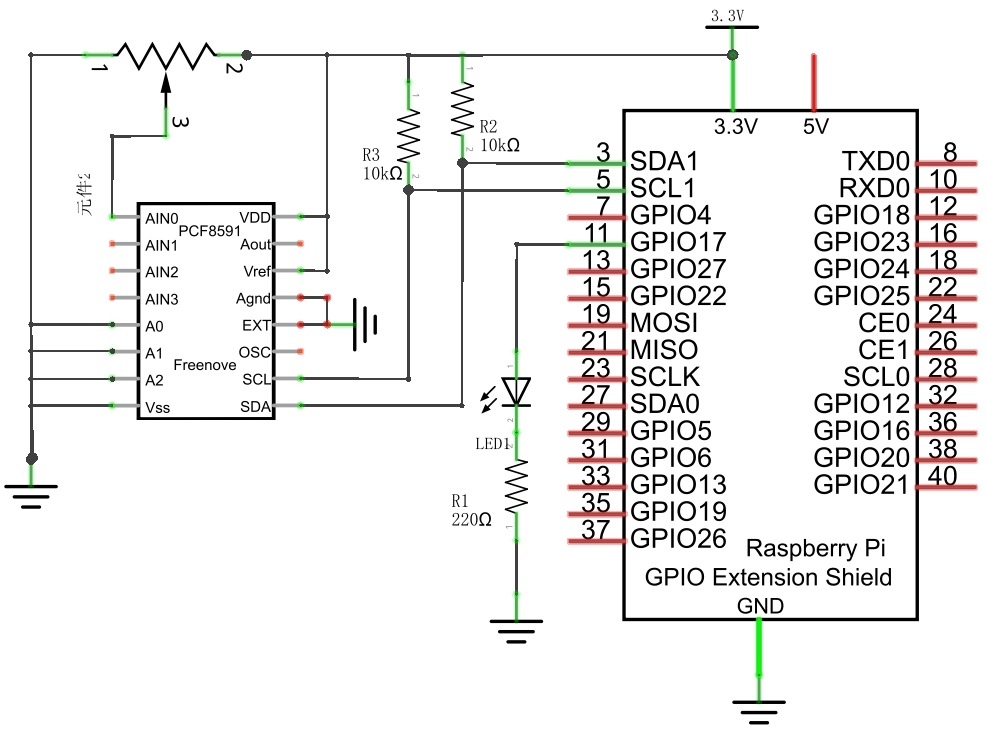
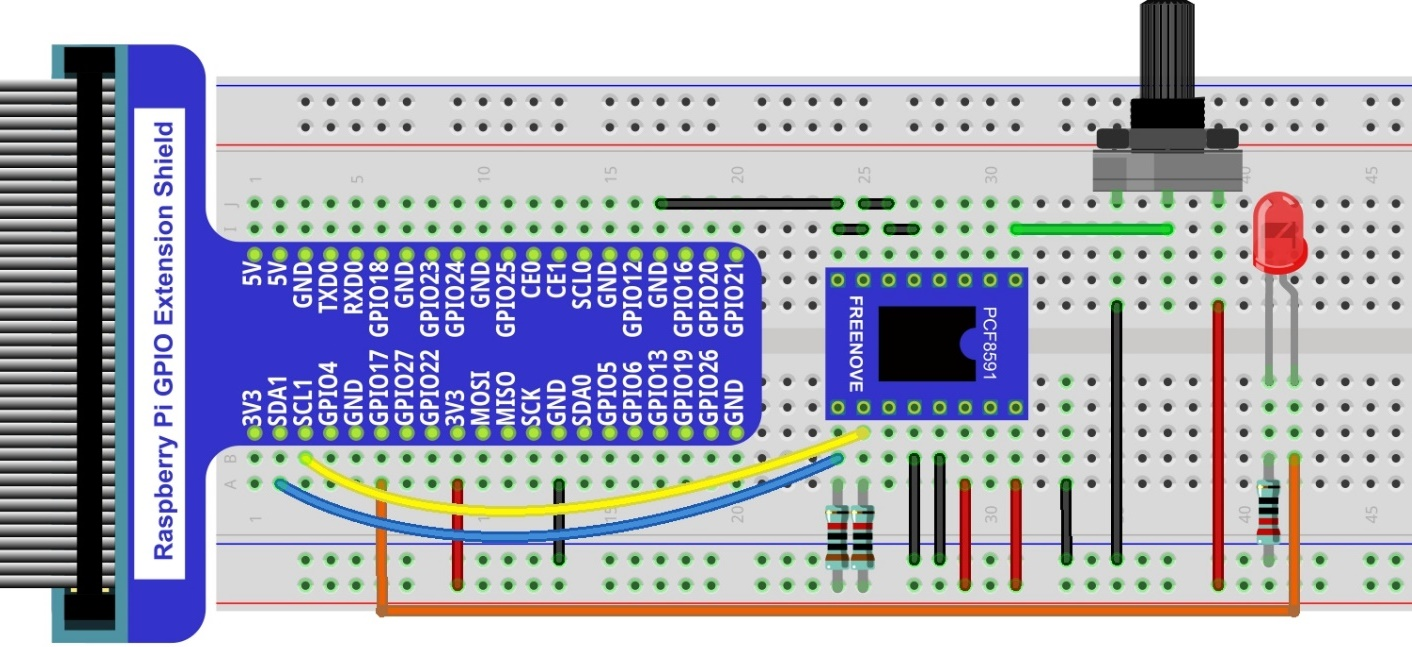
8.1.3. Circuit with PCF8591
Schematic diagram
|
Hardware connection.
|
8.1.4. Code
8.1.4.1. Python Code Softlight
If you did not configure I2C, please refer to Chapter 7. If you did, please continue.
First, observe the project result, and then learn about the code in detail.
Hint
If you have any concerns, please contact us via: support@freenove.com
Use cd command to enter 08.1.1_Softlight directory of Python code
$ cd ~/Freenove_Kit/Code/Python_GPIOZero_Code/08.1.1_Softlight
Use the python command to execute the Python code “Softlight.py”.
$ python Softlight.py
After the program is executed, adjusting the potentiometer will display the voltage values of the potentiometer in the Terminal window and the converted digital quantity. As a consequence, the brightness of LED will be changed.
The following is the code:
 1#!/usr/bin/env python3
 2########################################################################
 3# Filename    : ADC.py
 4# Description : Use ADC module to read the voltage value of potentiometer.
 5# Author      : www.freenove.com
 6# modification: 2023/05/11
 7########################################################################
 8from gpiozero import PWMLED
 9import time
10from ADCDevice import *
11
12led = PWMLED(17,frequency=1000)      # define LED pin according to BCM Numbering
13adc = ADCDevice() # Define an ADCDevice class object
14
15def setup():
16    global adc
17    if(adc.detectI2C(0x48)): # Detect the pcf8591.
18        adc = PCF8591()
19    elif(adc.detectI2C(0x4b)): # Detect the ads7830
20        adc = ADS7830()
21    else:
22        print("No correct I2C address found, \n"
23        "Please use command 'i2cdetect -y 1' to check the I2C address! \n"
24        "Program Exit. \n");
25        exit(-1)
26
27def loop():
28    while True:
29        value = adc.analogRead(0)      # read the ADC value of channel 0
30        led.value = value / 255.0      # Mapping to PWM duty cycle
31        voltage = value / 255.0 * 3.3  # calculate the voltage value
32        print ('ADC Value : %d, Voltage : %.2f'%(value,voltage))
33        time.sleep(0.03)
34
35def destroy():
36    led.close()
37    adc.close()
38
39if __name__ == '__main__':   # Program entrance
40    print ('Program is starting ... ')
41    try:
42        setup()
43        loop()
44    except KeyboardInterrupt: # Press ctrl-c to end the program.
45        destroy()
46        print("Ending program")
In the code, read ADC value of potentiometers and map it to the duty cycle of the PWM to control LED brightness.
1value = adc.analogRead(0)      # read the ADC value of channel 0
2led.value = value / 255.0      # Mapping to PWM duty cycle