Chapter 11 Infrared Test
Component Knowledge
Infrared remote
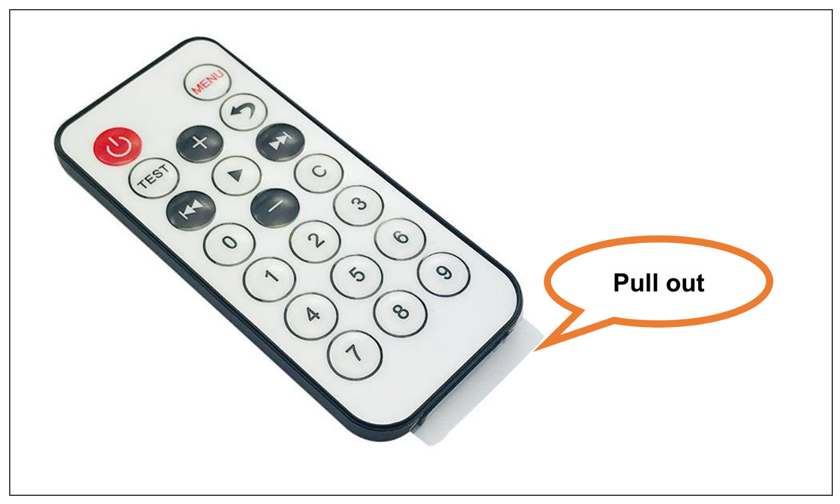
An Infrared (IR) remote control is a device with a certain number of buttons. Pressing down different buttons will make the infrared emission tube, which is located in the front of the remote control, send infrared with different encoding. Infrared remote control technology is widely used in household appliances, such as TV, air conditioning, etc. Thus, it makes it possible for you to switch TV programs and adjust the temperature of the air conditioning away from them. The remote control we use is shown below:
Infrared receiver
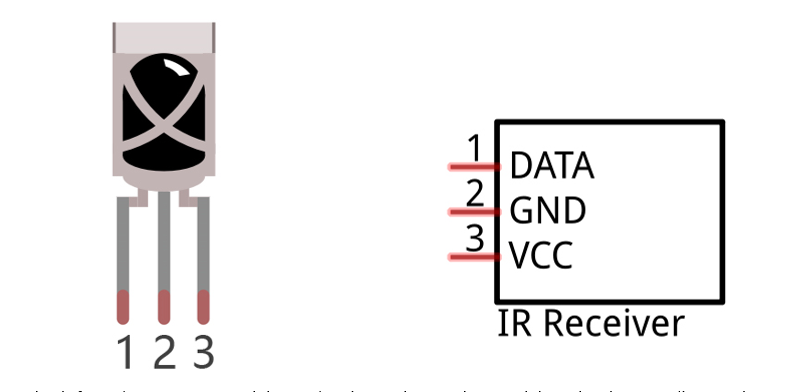
Infrared (IR) receiver is a component which can receive the infrared light, so we can use it to detect the signal emitted by the infrared remote control. DATA pin here outputs the received infrared signal.
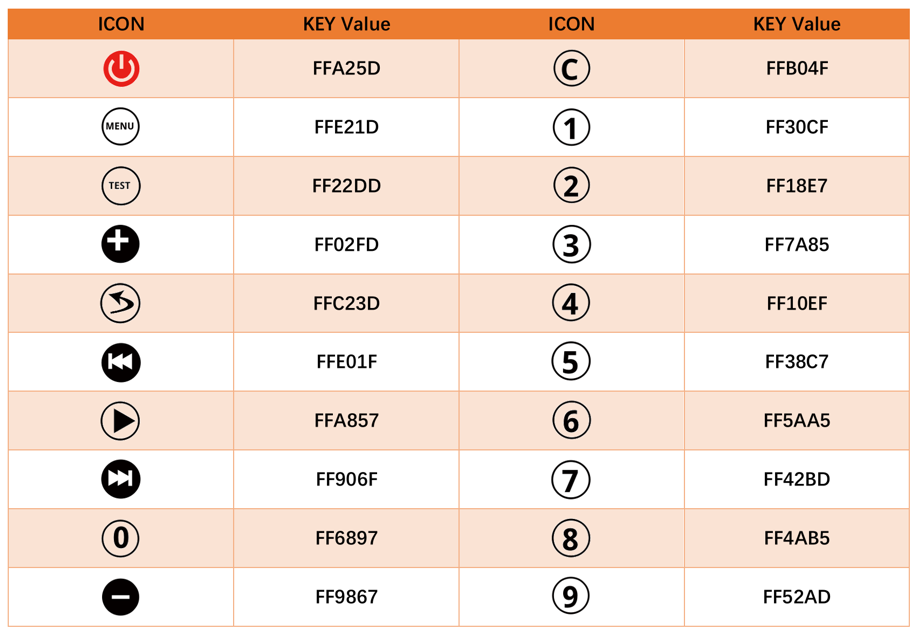
When you use the infrared remote control, it sends a key value to the receiving circuit according to the pressed key. The following is the key value that the receiving circuit will receive when each key of the infrared remote control is pressed.
Schematic
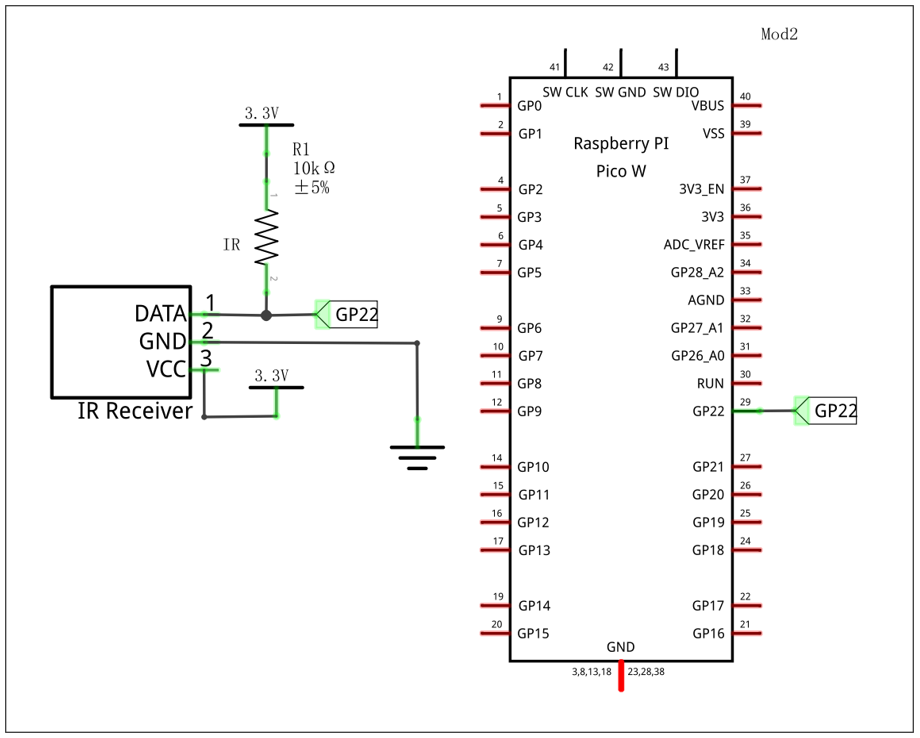
As shown in the schematic, GP22 of the pico connects to the infrared receiver, which means we can access the infrared signal via GP22.
Sketch
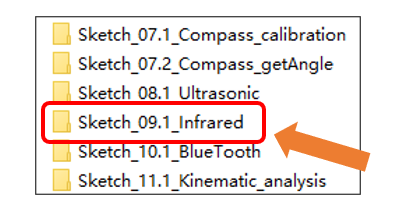
Next, we download the code to Raspberry Pi Pico (W) to test the infrared receiver. Open “Sketch_09.1_Infrared” folder under “Freenove Four-wheeled omniwheel Car Kit for Raspberry Pi pico Sketches” and double-click “Sketch_09.1_Infrared.ino”.
Code
Sketch_11.1_Infrared.ino
 1/**********************************************************************
 2  Filename    : Sketch_09.1_Infrared
 3  Description : Use Raspberry Pi Pico read infrared key values
 4  Auther      : www.freenove.com
 5  Modification: 2024/08/23
 6**********************************************************************/
 7const int IR_Pin = 22;// Define the infrared pin number
 8
 9int logList[32];
10unsigned long startTime;
11int endTime, end2Time;
12int flagCode = 0;
13int irPin;
14bool irState = true;
15
16void setup() {
17  Serial.begin(115200);// Set the serial port baud rate to 115200
18  IR_Init(IR_Pin);// Infrared pin initialization
19}
20
21void loop() {
22  if(flagCode){
23    int irValue = IR_Decode(flagCode);// Read infrared key values
24    Serial.println(irValue, HEX);// Print infrared key values
25    IR_Release();
26  }
27}
28
29void IR_Init(int pin) {
30  irPin = pin;
31  pinMode(irPin, INPUT_PULLUP);// Enable infrared pin as input pull-up
32  attachInterrupt(digitalPinToInterrupt(irPin), IR_Read, CHANGE);// Start infrared interrupt
33}
34
35void IR_Read() {
36  if (irState == true) {
37    unsigned long lowTime, highTime, intervalTime;
38    int num = 0;
39    while (digitalRead(irPin) == LOW) {
40      startTime = micros();
41      while (digitalRead(irPin) == LOW) {
42        lowTime = micros();
43      }
44      intervalTime = lowTime - startTime;
45      while (digitalRead(irPin) == HIGH) {
46        highTime = micros();
47        intervalTime = highTime - lowTime;
48        if (intervalTime > 10000) {
49          end2Time = millis();
50          if (num == 32) {
51            flagCode = 1;
52            endTime = millis();
53          }
54          else if (num == 0 && end2Time - endTime > 300 && end2Time - endTime < 400) {
55            flagCode = 2;
56            endTime = millis();
57          }
58          return;
59        }
60      }
61      if (intervalTime < 2000) {
62        if (intervalTime < 700) {
63         logList[num ++] = 0;
64        }
65        else {
66          logList[num ++] = 1;
67        }
68      }
69    }
70  }
71}
72
73unsigned long IR_Decode(int &code) {
74  unsigned long irData = 0;
75  irState=false;
76  if (code == 1) {
77    code = 0;
78    for (int i = 0; i < 32; i ++) {
79      if (logList[i] == 0) {
80        irData <<= 1;
81      }
82      else {
83        irData <<= 1;
84        irData ++;
85      }
86      logList[i] = 0;
87    }
88  }
89  if (code == 2) {
90    code = 0;
91    irData = 0xffffffff;
92  }
93  return irData;
94}
95
96void IR_Release(){
97  irState=true;
98}
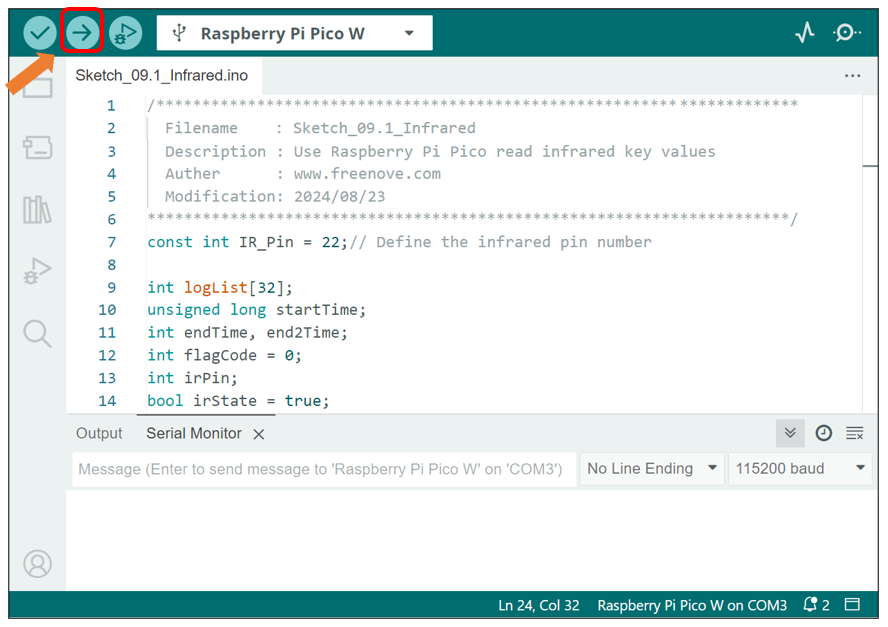
This sketch uses the infrared receiving tube to receive the value sent form the infrared remote control, and print it out via the serial port. Click “Upload” to download the code.
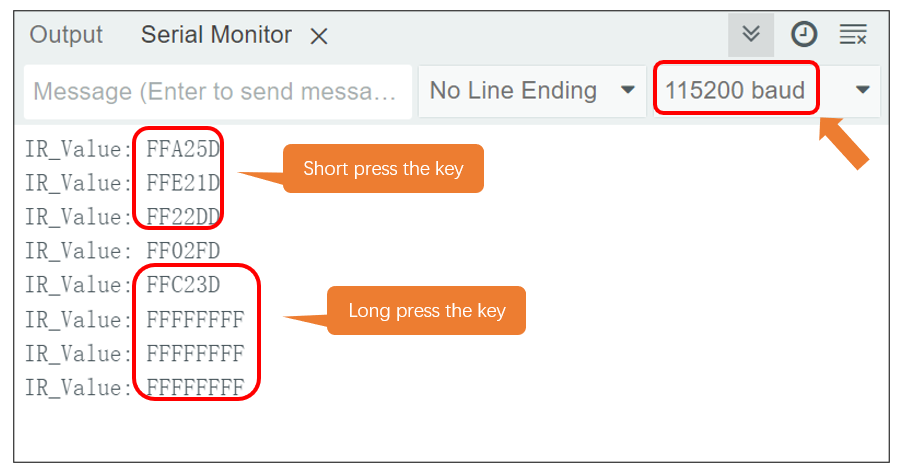
After downloading the code, open the serial port monitor, set the baud rate to 115200, press the IR remote control, the pressed keys value will be printed out through the serial port.
Code Explanation
When the IR_Init() function is called, Pico initializes the infrared received pin (GP22) and sets the external interrupt, associating it with the IR_Read() function. Every time the infrared receives data, external interrupt calls IR_Read() function to receive data.
1void IR_Init(int pin) {
2  irPin = pin;
3  pinMode(irPin, INPUT_PULLUP);// Enable infrared pin as input pull-up
4  attachInterrupt(digitalPinToInterrupt(irPin), IR_Read, CHANGE);// Start infrared interrupt
5}
Assign the read infrared key value to the variable irValue.
1int irValue = IR_Decode(flagCode);// Read infrared key values
Print the variable irValue in HEX format.
1Serial.println(irValue, HEX);// Print infrared key values
Allow to receive new infrared key values again.
1IR_Release();