Chapter 20 Bluetooth Car
Next, let us integrate the functionalities and modules learned in previous chapters using a Bluetooth module, so as to control most features of the car with the phone APP.
Sketch
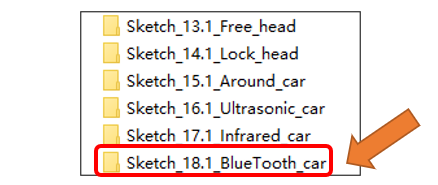
Open “Sketch_18.1_Bluetooth_car” folder in “Freenove_Omni_Wheel_Car_Kit_for_Raspberry_Pi_Pico\Three-Wheel\Sketches” and then double-click “Sketch_18.1_Bluetooth_car.ino”.
Code
Sketch_18.1_Bluetooth_car.ino
 1/*
 2* Sketch_18.1_BlueTooth_car.ino
 3*
 4* This sample code demonstrates multi-functional control for an omnidirectional smart car,
 5* compatible with both three-wheel and four-wheel omnidirectional structural designs (Switching is implemented via the Car_4_wheel macro in Motor.h).
 6* Key functional modules include: Manual Control, Free head mode, Lock head mode, Around mode, Ultrasonic mode, and RGB lighting effects display.
 7* The code adopts a modular architecture design, enabling seamless switching between three-wheel and four-wheel control algorithms through conditional compilation.
 8* You can select the appropriate mode for functional verification and debugging based on their actual hardware configuration.
 9*
10* Author: [Vegetable-SYC]
11* Date:   [2025-04-30]
12*/
13
14#include "Bluetooth.h"
15#include "User_TIM.h"
16
17void setup() {
18  // put your setup code here, to run once:
19  Serial.begin(9600);                 // Set the serial port baud rate to 9600
20  BlueTooth_Init();                   // Encoder initialization
21  Encoder_Init();
22  IMU_Init();
23  Buzzer_Setup();                     // Buzzer initialization
24  WS2812_Setup();                     // WS2812 initialization
25  Motor_init();                       // Motor initialization
26  Ultrasonic_init();                  // Ultrasonic initialization
27  IR_Init();                          // IR initialization
28  uint32_t current_millis = millis();
29  while (millis() - current_millis < 500) {
30    IMU_GetData();
31  }
32  tone(PIN_BUZZER, 2000, 200);
33  tim_init();
34}
35
36void loop() {
37  IR_Task();
38  WS2812_Show(ws2812_task_mode);
39  Bluetooth_Control();
40}
After compiling and uploading the sketch, you can control the car’s modes and functionalities with the phone app via Bluetooth. To install the APP, please refer to Freenove app
If you need any support, please feel free to contact us via: support@freenove.com