Chapter 14 Manual Control
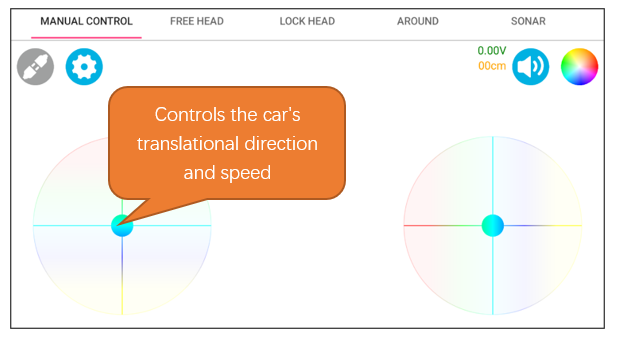
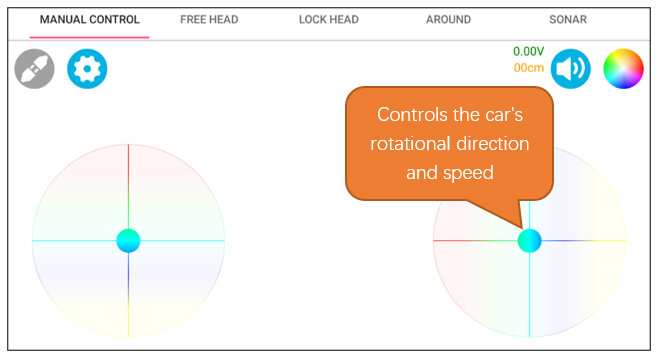
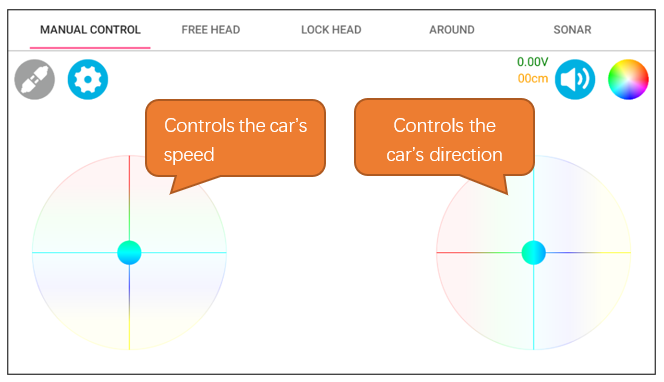
In the Head Mode, the car’s forward direction is based on the orientation of the ultrasonic module, and it can translate in various directions. For controlling the movement, the left joystick modulates the car’s translational direction and speed, whereas the right joystick governs the car’s rotational direction and velocity. Operating both joysticks simultaneously enables the car to execute circular movements.
Circuit
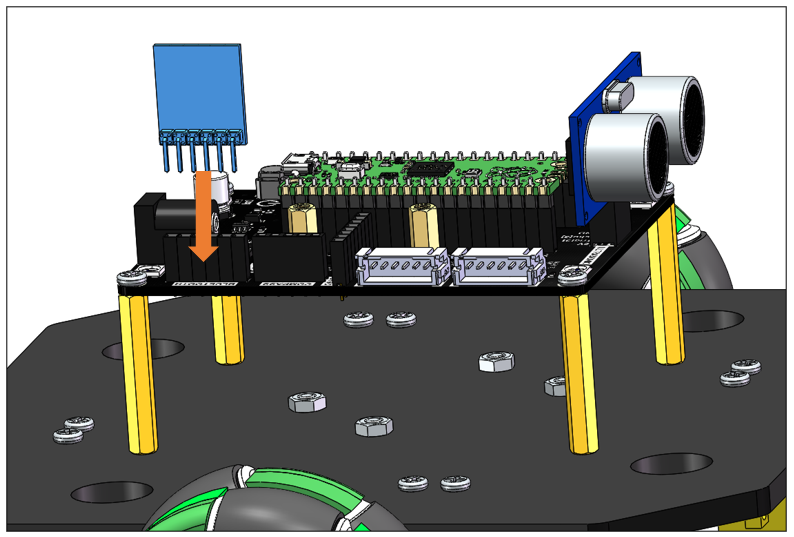
In this chapter, we use the assembled car with the Bluetooth module connected. Please refer to Chapter 1 Car Assembly for the detailed assembly process.
Sketch
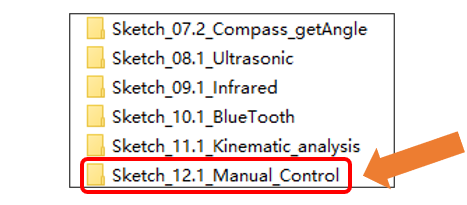
Open “Sketch_12.1_Manual_Control” folder in “Freenove Four-wheeled omniwheel Car Kit for Raspberry Pi picoSketches” and then double-click “Sketch_12.1_Manual Control.ino”.
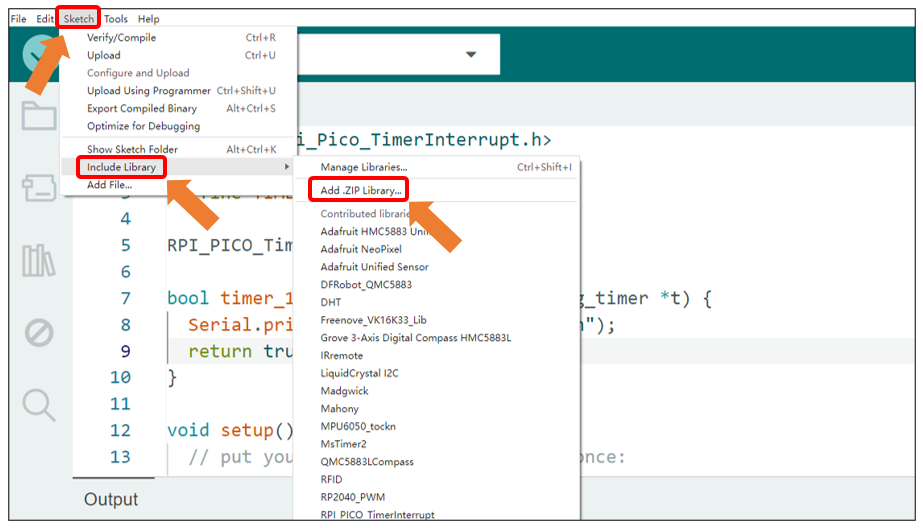
Open Arduino IDE, click Sketch on Menu bar -> Include Library -> Add .ZIP library.
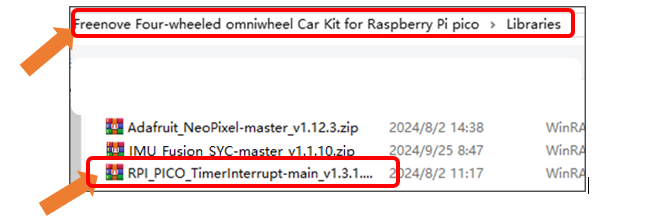
Open “RPI_PICO_TimerInterrupt-main_v1.3.1.zip” under the directory “Freenove Four-wheeled omniwheel Car Kit for Raspberry Pi pico\Libraries”.
Code
Sketch_12.1_Manual_Control
  1/**********************************************************************
  2  Filename    : Sketch_12.1_Manual_Control
  3  Description : Use Raspberry Pi Pico implement the Manual control of the car
  4  Auther      : www.freenove.com
  5  Modification: 2024/08/23
  6**********************************************************************/
  7#include <RPi_Pico_TimerInterrupt.h>
  8
  9#include <Arduino.h>
 10#include "Motor.h"
 11#include "Encoder.h"
 12#include <Wire.h>
 13#include "Pid.h"
 14#include "SoftwareSerial.h"
 15
 16#define TIMER0_INTERVAL_MS 1000
 17
 18int turn_speed, turn_location;
 19
 20String CmdArray[8];
 21int paramters[8];
 22int bluetooth_state = 0, angle_out;
 23
 24int  speed_out = 0, speed1val, speed2val, speed3val, speed4val;
 25
 26RPI_PICO_Timer ITimer0(0);
 27SoftwareSerial bluetooth(1, 0);
 28
 29void Car_Control() {
 30  if (paramters[1] == 0 && paramters[2] == 0) {
 31    angle_out = 0;
 32    speed_out = 0;
 33  }else  // If the parameters are not equal to 0
 34  {
 35    angle_out = paramters[1];
 36    speed_out = paramters[2];
 37  }
 38  if (paramters[1] == 0 && paramters[2] == 0 && paramters[3] == 0 && paramters[4] == 0) {
 39    turn_speed = 0;
 40    turn_location = 0;
 41  } else {
 42    turn_speed = paramters[4];     // Rotation speed
 43    turn_location = paramters[3];  // Direction of rotation
 44  }
 45}
 46
 47bool timer_1ms_control(struct repeating_timer *t) {
 48  // 5ms detects and accumulates the encoder data once
 49  if (millis() % 5 == 0) {
 50    Getencoder_Data();
 51    speed_add();
 52  }
 53  if (millis() % 15 == 0) {
 54    speed_calculate();  // Find the average speed and filter the burrs
 55    Turn_Control(speed_out, angle_out, turn_speed, turn_location);
 56  }
 57  return true;
 58}
 59
 60void setup() {
 61  // put your setup code here, to run once:
 62  // Set the serial port baud rate to 9600
 63  Serial.begin(9600);
 64  bluetooth.begin(115200);
 65  // Encoder initialization
 66  Encoder_Init();
 67
 68  bluetooth.println("AT+NAME=BT05");  // Change Bluetooth device name
 69  delay(200);
 70
 71  // Timer interrupt setting
 72  ITimer0.attachInterruptInterval(TIMER0_INTERVAL_MS, timer_1ms_control);
 73
 74  Motor_init();  // Motor initialization
 75}
 76
 77void loop() {
 78  // Bluetooth processing
 79  if (bluetooth.available() > 0) {              // If the serial port receives data
 80    String message = bluetooth.readStringUntil('\n'); // Get the transferred instruction
 81    if(message == "CONNECT OK\r")
 82    {
 83      bluetooth_state = 1;
 84      Serial.println("Bluetooth connected");
 85    }
 86  }
 87  while(bluetooth_state)
 88  {
 89    if (bluetooth.available() > 0) {                    // If the serial port receives data
 90      String message = bluetooth.readStringUntil('\n'); // Get the transmitted instruction
 91      Serial.println(message);                          // print order
 92
 93      Get_Command(message);
 94      if(message == "DISCONNECT\r")
 95      {
 96        bluetooth_state = 0;
 97        Serial.println("Bluetooth disconnected");
 98      }
 99      if(CmdArray[0] == CMD_MOTOR_Bluetooth)
100      {
101          Car_Control();
102      }
103      memset(CmdArray, 0, sizeof(CmdArray));
104      memset(paramters, 0, sizeof(paramters));
105    }
106  }
107}
108
109void Get_Command(String inputStringTemp) {
110  // Gets the instruction length
111  int string_length = inputStringTemp.length() + 1;
112  char str[string_length];
113  // Converts an array of String type to a Char type array
114  inputStringTemp.toCharArray(str, string_length);
115  char *token = strtok(str, INTERVAL_CHAr);  // Split the array
116  CmdArray[0] = String(token[0]);                    // Put the command into an array
117  for (int i = 0; i < 5; i++) {
118    if (token != NULL) {
119      // Continue splitting the array until # is not detected
120      token = strtok(NULL, INTERVAL_CHAr);
121    }
122    // Convert the instruction to integer type
123    paramters[i + 1] = atoi(token);
124  }
125}
126
127void speed_add() {
128  speed1val += speed1;
129  speed2val += speed2;
130  speed3val += speed3;
131  speed4val += speed4;
132}
133
134void speed_calculate() {
135  speed1 = map(speed1val / 3,0,48,0,100);
136  speed2 = map(speed2val / 3,0,48,0,100);
137  speed3 = map(speed3val / 3,0,48,0,100);
138  speed4 = map(speed4val / 3,0,48,0,100);
139
140  speed1val = 0;
141  speed2val = 0;
142  speed3val = 0;
143  speed4val = 0;
144}
Motor.cpp
 1void Turn_Control(int speed_v,int speed_a,int angle_v,int location)
 2{
 3  vx =  - speed_v * sin ( speed_a * PI / 180 );
 4  vy =    speed_v * cos ( speed_a * PI / 180 );
 5  if( location >= 0 && location < 180)
 6  {
 7    angle_v = -angle_v;
 8  }
 9  v1 = -vx + angle_v;
10  v2 = -vy + angle_v;
11  v3 = vx + angle_v;
12  v4 = vy + angle_v;
13  // Speed PID control
14  pid_v1 = Speed1_PID(v1,speed1);
15  pid_v2 = Speed2_PID(v2,speed2);
16  pid_v3 = Speed3_PID(v3,speed3);
17  pid_v4 = Speed4_PID(v4,speed4);
18  Motor_direction();
19}
After downloading the code, open Freenove APP on your phone and connect it to the Bluetooth of the car. For installing the APP and connecting Bluetooth, please refer to Introduction to the APP
Interface Introduction
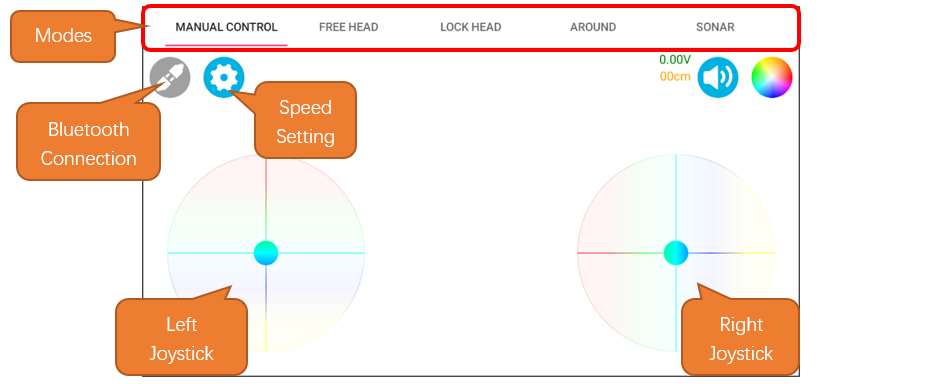
Operation Description
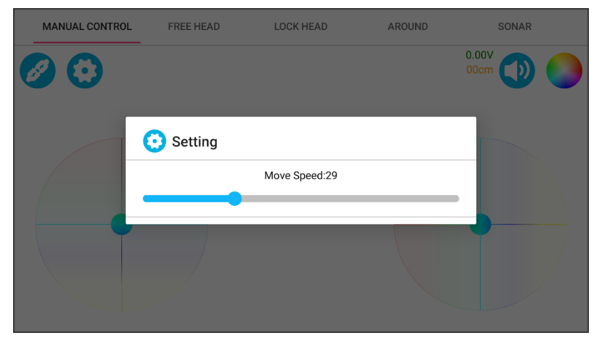
At the speed setting interface, you can set the maximum speed of the car. The range is from 0 to 100.
When only the left joystick is operated, it controls the car’s translational direction and speed. When it is released, the car stops moving.
When only the right joystick is operated, it controls the car’s rotational direction and speed. When it is released, the car stops moving.
Operating both joysticks simultaneously enables the car to execute circular movements, with the left controls the speed and the right controls the direction.
Code Explanation
Call the ‘Get_Command()’ function to parse the commands sent by the APP, storing integer data into the ‘parameters’ array and character data into the ‘cmdArray’ array.
 1void Get_Command(String inputStringTemp) {
 2  // Gets the instruction length
 3  int string_length = inputStringTemp.length() + 1;
 4  char str[string_length];
 5  // Converts an array of String type to a Char type array
 6  inputStringTemp.toCharArray(str, string_length);
 7  char *token = strtok(str, INTERVAL_CHAr);  // Split the array
 8  CmdArray[0] = String(token[0]);                    // Put the command into an array
 9  for (int i = 0; i < 5; i++) {
10    if (token != NULL) {
11      // Continue splitting the array until # is not detected
12      token = strtok(NULL, INTERVAL_CHAr);
13    }
14    // Convert the instruction to integer type
15    paramters[i + 1] = atoi(token);
16  }
17}
Call the ‘Car_Control()’ function to control the car to perform corresponding actions according to the commands. For specific command protocols, please refer to the FNK0097 firmware communication protocol.
 1void Car_Control() {
 2  if (paramters[1] == 0 && paramters[2] == 0) {
 3    angle_out = 0;
 4    speed_out = 0;
 5  }else  // If the parameters are not equal to 0
 6  {
 7    angle_out = paramters[1];
 8    speed_out = paramters[2];
 9  }
10  if (paramters[1] == 0 && paramters[2] == 0 && paramters[3] == 0 && paramters[4] == 0) {
11    turn_speed = 0;
12    turn_location = 0;
13  } else {
14    turn_speed = paramters[4];     // Rotation speed
15    turn_location = paramters[3];  // Direction of rotation
16  }
17}
Calculate the current speed of the car every 15 milliseconds and call the function ‘Turn_Control()’ to control the movement of the car.
1if (millis() % 15 == 0) {
2  speed_calculate();  // Find the average speed and filter the burrs
3  Turn_Control(speed_out, angle_out, turn_speed, turn_location);
4}
Perform kinematic decomposition on the car to calculate the speed of each wheel and incorporate PID control.
 1void Turn_Control(int speed_v,int speed_a,int angle_v,int location)
 2{
 3  vx =  - speed_v * sin ( speed_a * PI / 180 );
 4  vy =    speed_v * cos ( speed_a * PI / 180 );
 5  if( location >= 0 && location < 180)
 6  {
 7    angle_v = -angle_v;
 8  }
 9  v1 = -vx + angle_v;
10  v2 = -vy + angle_v;
11  v3 = vx + angle_v;
12  v4 = vy + angle_v;
13  // Speed PID control
14  pid_v1 = Speed1_PID(v1,speed1);
15  pid_v2 = Speed2_PID(v2,speed2);
16  pid_v3 = Speed3_PID(v3,speed3);
17  pid_v4 = Speed4_PID(v4,speed4);
18  Motor_direction();
19}
Reference
- char *strtok(char *str, const char *delim);
This function is used to split a string into substrings based on a delimiter.
Str: The string to be split.
Delim: The delimiter character.
- int atoi(const char *str);
This function is used to convert a string to an integer.
Str: The string representing the number to be converted.
- void Turn_Control(int speed_v,int speed_a,int angle_v,int location);
This function is used to control the car’s movement.
Parameters:
speed_v: The movement velocity of the car.
speed_a: The movement angle of the car.
angle_v: The angular velocity of the car.
location: The direction in which the car is turning.