Chapter 19 Infrared Control
In the previous chapters, we learned how to use infrared modules. In this chapter, we will learn how to control the car’s movement and change modes using an infrared remote controller.
Circuit
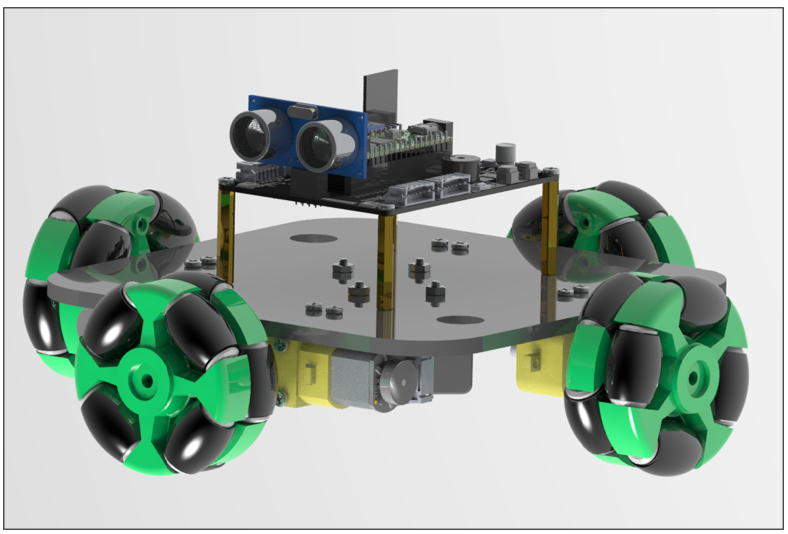
For detailed assembly process of the car, please refer to Chapter 1 Car Assembly
Sketch
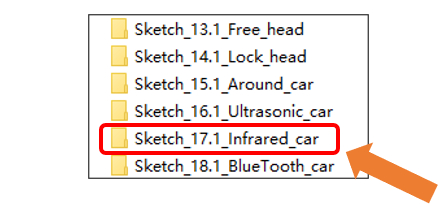
Open “Sketch_17.1_Infrared_car” folder in “Freenove_Omni_Wheel_Car_Kit_for_Raspberry_Pi_Pico\Four-Wheel\Sketches” and then double-click “Sketch_17.1_Infrared_car.ino”.
Code
Sketch_17.1_Infrared_car.ino
 1/****************************************************************************
 2  Filename    : Sketch_17.1_Infrared_car
 3  Description : Use Raspberry Pi Pico realize infrared control car
 4  Auther      : www.freenove.com
 5  Modification: 2024/08/23
 6*****************************************************************************/
 7#include "Motor.h"
 8#include <RPi_Pico_TimerInterrupt.h>
 9#include <Arduino.h>
10#include "Encoder.h"
11#include <Wire.h>
12#include "Motor.h"
13#include "Pid.h"
14#include "LED.h"
15#include "IR.h"
16
17#define TIMER0_INTERVAL_MS 1000
18
19int speed1val, speed2val, speed3val, speed4val;
20
21const int LED_Pin = 28;  // Define RGB color light pins
22
23RPI_PICO_Timer ITimer0(0);
24Adafruit_NeoPixel pixels(4, LED_Pin, NEO_GRB + NEO_KHZ800);
25
26bool timer_1ms_control(struct repeating_timer *t) {
27  if (millis() % 5 == 0) {
28    Getencoder_Data();
29    speed_add();
30  }
31  if (millis() % 15 == 0) {
32    speed_calculate();  // Find the average speed and filter the burrs
33    IR_run(IR_v, IR_a, IR_angle_v);
34  }
35  return true;
36}
37
38void setup() {
39  // put your setup code here, to run once:
40  // Set the serial port baud rate to 9600
41  Serial.begin(9600);
42
43   // Encoder initialization
44  Encoder_Init();
45
46  // RGB initialization
47  pixels.begin();
48
49  // RGB Sets the brightness
50  pixels.setBrightness(20);
51
52  // WS2812 initialization
53  WS2812_Setup();
54
55  // Timer interrupt setting
56  ITimer0.attachInterruptInterval(TIMER0_INTERVAL_MS, timer_1ms_control);
57
58  Motor_init();  // Motor initialization
59
60  IR_Init(22);   // Infrared pin initialization
61}
62
63void loop() {
64  IR_Receive();
65  IR_Task();
66  WS2812_Show(ws2812_task_mode);
67}
68
69void speed_add() {
70  speed1val += speed1;
71  speed2val += speed2;
72  speed3val += speed3;
73  speed4val += speed4;
74}
75
76void speed_calculate() {
77  speed1 = map(speed1val / 3,0,48,0,100);
78  speed2 = map(speed2val / 3,0,48,0,100);
79  speed3 = map(speed3val / 3,0,48,0,100);
80  speed4 = map(speed4val / 3,0,48,0,100);
81
82  speed1val = 0;
83  speed2val = 0;
84  speed3val = 0;
85  speed4val = 0;
86}
Motor.cpp
 1#include "Motor.h"
 2#include "Arduino.h"
 3#include "PID.h"
 4#include "Encoder.h"
 5
 6extern const int wheel1_A_pin = 8; // Motor1 drive pin
 7extern const int wheel1_B_pin = 9; // Motor1 drive pin
 8
 9extern const int wheel2_A_pin = 12;// Motor2 drive pin
10extern const int wheel2_B_pin = 13;// Motor2 drive pin
11
12extern const int wheel3_A_pin = 15;// Motor3 drive pin
13extern const int wheel3_B_pin = 14;// Motor3 drive pin
14
15extern const int wheel4_A_pin = 20;// Motor4 drive pin
16extern const int wheel4_B_pin = 21;// Motor4 drive pin
17
18extern int angle,turn_output,angle_flag,angle_state,angle_temp,Ultrasonic_distance,state,angle_a_out;
19
20int v1,v2,v3,v4,vx,vy,pid_v1,pid_v2,pid_v3,pid_v4,angle_v,angle_Ultrasonic,Ultrasonic_speed,Ultrasonic_index,Ultrasonic_mutex = 0,Ultrasonic_state,Ultrasonic_angle,Ultrasonic_delay,angle_circle;
21int pid1,pid2,pid3,pid4;
22int a1,b1,a2,b2,a3,b3,a4,b4,turn_output,turn_a1,turn_b1,turn_a2,turn_b2,turn_a3,turn_b3,turn_a4,turn_b4;
23int angle_head,angle_counter,location_state;
24uint32_t Ultrasonic_time,Ultrasonic_distance_time;
25int Ultrasonic_compare[2];
26void Motor_init()
27{
28  analogWriteFreq(16000);// Set the appropriate PWM frequency
29  pinMode(wheel1_A_pin,OUTPUT);
30  pinMode(wheel1_B_pin,OUTPUT);
31  pinMode(wheel2_A_pin,OUTPUT);
32  pinMode(wheel2_B_pin,OUTPUT);
33  pinMode(wheel3_A_pin,OUTPUT);
34  pinMode(wheel3_B_pin,OUTPUT);
35  pinMode(wheel4_A_pin,OUTPUT);
36  pinMode(wheel4_B_pin,OUTPUT);
37}
38
39void Motor_direction()// Motor limiting and motor output redirection
40{
41  if(pid_v1 > 255) pid_v1 = 255;else if(pid_v1 < -255) pid_v1 = -255;
42  if(pid_v1 > 0){ a1 = pid_v1; b1 = LOW; }else{ a1 = LOW; b1 = -pid_v1;}
43  if(pid_v2 > 255) pid_v2 = 255;else if(pid_v2 < -255) pid_v2 = -255;
44  if(pid_v2 > 0){ a2 = pid_v2; b2 = LOW; }else{ a2 = LOW; b2 = -pid_v2;}
45  if(pid_v3 > 255) pid_v3 = 255;else if(pid_v3 < -255) pid_v3 = -255;
46  if(pid_v3 > 0){ a3 = pid_v3; b3 = LOW; }else{ a3 = LOW; b3 = -pid_v3;}
47  if(pid_v4 > 255) pid_v4 = 255;else if(pid_v4 < -255) pid_v4 = -255;
48  if(pid_v4 > 0){ a4 = pid_v4; b4 = LOW; }else{ a4 = LOW; b4 = -pid_v4;}
49
50  analogWrite(wheel1_A_pin,a1);
51  analogWrite(wheel1_B_pin,b1);
52
53  analogWrite(wheel2_A_pin,a2);
54  analogWrite(wheel2_B_pin,b2);
55
56  analogWrite(wheel3_A_pin,a3);
57  analogWrite(wheel3_B_pin,b3);
58
59  analogWrite(wheel4_A_pin,a4);
60  analogWrite(wheel4_B_pin,b4);
61}
62
63void IR_run(int speed_v,int speed_a,int angle_v)
64{
65  vx =  - speed_v * sin ( speed_a * PI / 180 );
66  vy =    speed_v * cos ( speed_a * PI / 180 );
67
68  v1 = -vx + angle_v;
69  v2 = -vy + angle_v;
70  v3 =  vx + angle_v;
71  v4 =  vy + angle_v;
72
73  pid_v1 = Speed1_PID(v1,speed1);
74  pid_v2 = Speed2_PID(v2,speed2);
75  pid_v3 = Speed3_PID(v3,speed3);
76  pid_v4 = Speed4_PID(v4,speed4);
77
78  Motor_direction();// Motor limiting and motor output orientation
79}
80
81void car_stop()
82{
83  analogWrite(wheel1_A_pin,LOW);
84  analogWrite(wheel1_B_pin,LOW);
85
86  analogWrite(wheel2_A_pin,LOW);
87  analogWrite(wheel2_B_pin,LOW);
88
89  analogWrite(wheel3_A_pin,LOW);
90  analogWrite(wheel3_B_pin,LOW);
91
92  analogWrite(wheel4_A_pin,LOW);
93  analogWrite(wheel4_B_pin,LOW);
94}
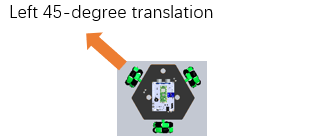
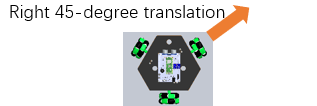
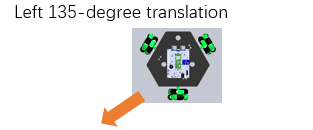
After downloading the code, place the car on the ground and turn ON the power switch. The keys and their corresponding values and function are as shown in the table below:
Keys |
Function |
Key Value |
|---|---|---|
|
|
FF02FD |
|
|
FFE01F |
|
|
FF906F |
|
|
FF9867 |
|
|
FFA857 |
|
|
FF22DD |
|
|
FFC23D |
|
|
FF6897 |
|
|
FFB04F |
|
|
FFA25D |
|
|
FFE214D |